.webp)
Ultimate List of AI Tools for Physics Students to Boost Learning
AI tools are transforming how physics students learn complex topics like mechanics, thermodynamics, and quantum physics. Platforms such as Mindgrasp AI and LearnFast AI convert notes, PDFs, and videos into summaries, quizzes, and instant explanations, helping students save time and improve understanding. Tools like QANDA, VPython, and PhysicsGPT also enable simulations, data analysis, and real-world modeling. By combining interactive learning, visualization, and computational support, these AI tools make physics more engaging, practical, and effective for both academic success and advanced research.

 Updated: April 29, 2026 | 14 min read
 | Best For | Pricing | Ease | |
| Mindgrasp AI | Study summaries & concept explanations | Free + Paid | Beginner |
| LearnFast AI | Quick learning & revision | Paid | Beginner |
| QANDA | Solving physics problems via AI | Free + Paid | Beginner |
| Siml.ai | Physics simulations with AI | Paid | Intermediate |
| Energent.ai | Scientific analysis & insights | Paid | Intermediate |
| VPython | 3D physics visualization & coding | Free | Intermediate |
| LAMMPS | Molecular dynamics simulations | Free | Advanced |
| VSim | Plasma & particle simulations | Paid | Advanced |
| Project Chrono | Physics-based simulation engine | Free | Advanced |
| PhysicsGPT | AI physics problem-solving assistant | Paid | Beginner |
1. Mindgrasp AI
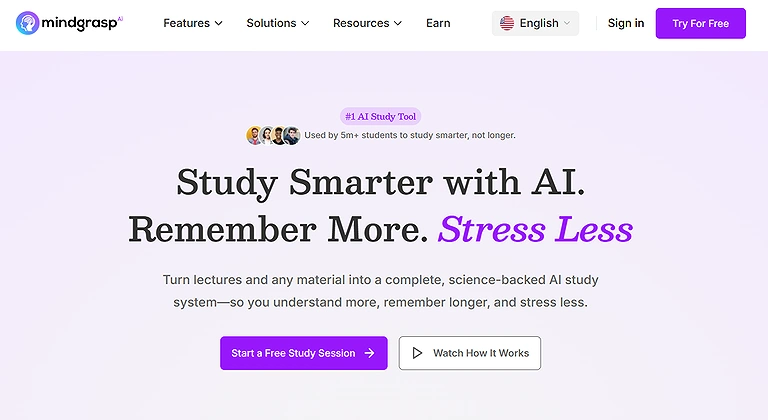
Mindgrasp AI is a powerful learning tool that helps physics students simplify complex topics like mechanics and quantum physics. It converts notes, PDFs, and videos into summaries, quizzes, and instant explanations. By generating quick insights from study materials, it improves understanding, saves time, and supports efficient exam preparation for students.
Mindgrasp AI
Key Features
- AI-powered summarization of physics lectures, PDFs, and textbooks
- Instant explanations of complex physics concepts like quantum mechanics and electromagnetism
- Automated creation of flashcards, notes, and quizzes for revision
- Fast concept breakdown into structured, easy-to-understand study material
- Supports multiple study formats including videos, documents, and lecture uploads
How to Use
- Upload physics study materials such as PDFs, lecture notes, or videos
- Let AI generate summaries, explanations, and key concept breakdowns
- Use flashcards and quizzes for active revision and practice
- Review generated insights to strengthen exam preparation and understanding
Pros
- Helps students understand complex physics topics up to 50–60% faster
- Improves exam preparation through instant summaries and quizzes
- Converts long lectures into structured, manageable study notes
- Provides quick explanations for difficult theoretical concepts
- Enhances self-study efficiency with AI-powered learning support
Cons
- May oversimplify advanced physics concepts requiring deeper human explanation
- Full features require paid subscription plans
- Large file uploads can slow performance during peak usage
- Not a complete replacement for traditional conceptual learning and guidance
Pricing
Mindgrasp AI offers a freemium model with basic access available, while premium plans unlock unlimited uploads, advanced explanations, flashcards, and full study assistant features for students.
Use Cases
Ideal for physics exam preparation, lecture summarization, homework support, revision planning, and quickly understanding complex scientific theories and formulas and university students.
Related Tools
ChatGPT, Wolfram Alpha, Socratic by Google, Photomath
2. LearnFast AI
LearnFast AI is an effective tool for physics students who want quick results. It converts notes, PDFs, and videos into summaries, flashcards, quizzes, and instant explanations. By analyzing study materials, it helps simplify complex topics like mechanics and electromagnetism, improving understanding, saving time, and making exam preparation more efficient.
Key Features
- AI-powered instant explanations of physics concepts and theories
- Step-by-step problem-solving assistance for physics equations
- Smart flashcards and automated quizzes for revision
- Fast summarization of lecture notes, PDFs, and study material
- Concept-based learning support across major physics topics
How to Use
- Upload physics notes, assignments, or lecture materials into the platform
- Select topics or problems you want step-by-step explanations for
- Use AI-generated flashcards and quizzes for practice and revision
- Review solutions and summaries to strengthen conceptual understanding
Pros
- Helps students understand physics concepts 2–3x faster than traditional methods
- Provides quick, clear step-by-step solutions for complex problems
- Improves exam preparation through quizzes and flashcards
- Saves time by converting long study material into structured summaries
- Supports multiple physics domains including mechanics and quantum physics
Cons
- Advanced concepts may still require additional human explanation
- Full access to features requires a premium subscription
- Large file uploads or multiple inputs may slow processing
- Not fully sufficient for deep theoretical mastery without external study
Pricing
LearnFast AI offers a freemium model with limited features, while premium plans provide full access to AI explanations, quizzes, flashcards, and unlimited study material processing.
Use Cases
Ideal for step-by-step physics problem solving, exam preparation, concept revision, homework assistance, and fast understanding of complex scientific topics.
Related Tools
Mindgrasp AI, ChatGPT, Wolfram Alpha, Socratic by Google
3. QANDA
QANDA is a popular AI tutoring platform that helps physics students solve problems instantly by scanning questions with a smartphone. Using OCR and AI, it provides quick solutions with step-by-step explanations. It supports multiple languages and helps students better understand formulas, calculations, and concepts, making exam preparation easier and more efficient.For the pure calculation side of your homework, you can also explore specialized AI tools for mathematicians that offer deep calculus support."

QANDA
Key Features
- AI-powered instant solutions for physics problems
- Step-by-step explanations for formulas and calculations
- Camera-based question scanning with OCR support
- Global student community for learning and doubt solving
- Exam-focused assistance for quick revision and practice
How to Use
- Open the app and scan or type your physics question
- Let AI analyze and generate step-by-step solutions
- Review detailed explanations for better conceptual understanding
- Use saved answers for revision and exam preparation
Pros
- Provides instant answers with clear step-by-step guidance
- Improves understanding of physics formulas and concepts
- Widely used globally for homework and exam preparation
- Saves time by quickly solving complex numerical problems
- Mobile-friendly AI tutor for on-the-go learning
Cons
- Complex theoretical problems may require additional manual study
- Full access to premium features requires subscription
- OCR accuracy depends on image quality and clarity
- AI explanations may sometimes oversimplify advanced concepts
Pricing
QANDA offers a free version with basic question-solving features, while premium plans unlock faster responses, unlimited scans, and advanced AI tutoring tools.
Use Cases
Ideal for physics homework solving, exam revision, step-by-step problem understanding, mobile learning support, and quick doubt resolution.
Related Tools
Photomath, Socratic by Google, Brainly, ChatGPT
4. Siml.ai
Siml.ai is an advanced AI simulation platform that helps physics students and researchers explore real-world problems. It combines machine learning with cloud-based simulations to create high-performance models and visualizations. Users can experiment in real time, gain insights into physics concepts, and reduce computational effort while improving understanding of complex systems.Its High-fidelity simulations like these are a core part of the professional workflow found in our list of best AI tools for engineers.
Key Features
- AI-powered real-time physics simulation and modeling
- Advanced computational tools for fluid dynamics and engineering physics
- High-speed simulation processing using AI-driven algorithms
- Interactive visualization of complex physical systems
- Supports experimentation with real-world physics scenarios
How to Use
- Select or create a physics model you want to simulate
- Input parameters such as force, motion, or environmental conditions
- Run AI-powered simulations to observe real-time results
- Analyze outputs to understand physical behavior and system dynamics
Pros
- Enhances understanding through real-time physics visualization
- Speeds up complex simulations using AI-based computation
- Useful for engineering, mechanics, and applied physics learning
- Helps explore real-world physics problems interactively
- Improves conceptual clarity through visual experimentation
Cons
- Advanced simulation features may require paid subscriptions
- Beginners may find simulation tools and AI models complex initially
- Focuses more on simulations, requiring external theoretical study support
- High-performance usage may need strong hardware or cloud resources
Pricing
Siml.ai offers subscription-based pricing, with basic simulation access available on entry plans while advanced computational and cloud-based simulation features are included in premium tiers.
Use Cases
Ideal for physics simulations, engineering modeling, fluid dynamics study, real-time system visualization, and applied physics experimentation.
Related Tools
COMSOL Multiphysics, ANSYS, MATLAB Simulink, Wolfram Mathematica
5. Energent.ai
Energent.ai is an advanced AI platform for physics research and data analysis. It helps students and researchers run simulations, analyze experimental data, and validate models without heavy coding. With visual workflows and automation, it simplifies complex topics like particle physics and computational modeling, saving time and improving practical understanding of physical concepts.
Key Features
- AI-assisted physics data analysis and simulation comparison
- No-code interface for running complex physics experiments
- Automated data extraction and processing for research efficiency
- Supports advanced scientific modeling and physical theory exploration
- Fast comparison of simulation results with real experimental data
How to Use
- Upload experimental datasets or select a physics simulation model
- Use no-code tools to configure parameters and run simulations
- Let AI process and compare simulation outputs with real data
- Analyze insights to understand physical behavior and research outcomes
Pros
- Speeds up data analysis and simulation workflows significantly
- Makes complex physics simulations accessible without coding skills
- Helps researchers save time through automation of repetitive tasks
- Improves understanding of physical theories through data comparison
- Useful for both students and scientific research applications
Cons
- Advanced simulations and features may require paid access
- Highly complex physics domains still require expert-level understanding
- Large datasets may slow performance during heavy usage
- Not fully suitable for deep theoretical research without additional tools
Pricing
Energent.ai offers subscription-based plans with basic no-code simulation access, while premium tiers unlock advanced physics modeling, large-scale data processing, and research-grade features.
Use Cases
Ideal for physics research, experimental data analysis, simulation comparison, academic projects, and exploring scientific theories without coding knowledge.
Related Tools
Siml.ai, MATLAB, Wolfram Mathematica, COMSOL Multiphysics
6. VPython
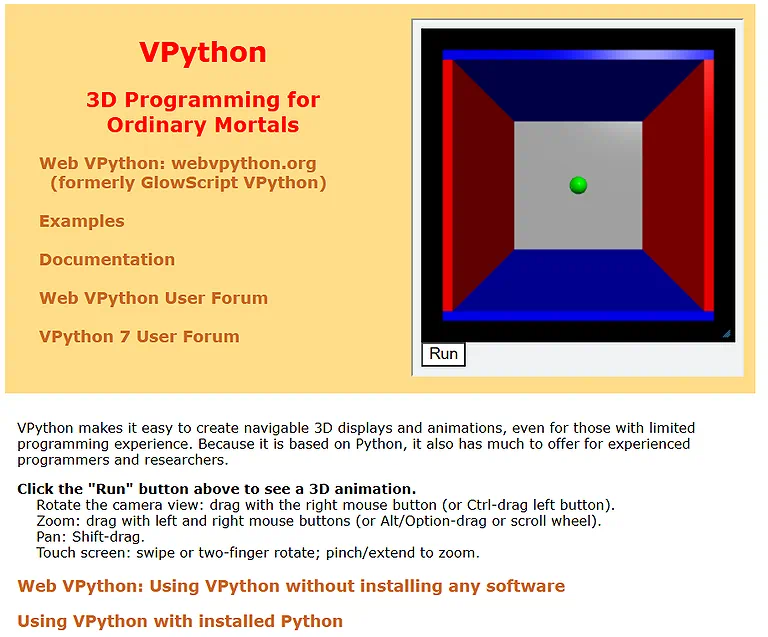
VPython is a user-friendly programming environment that lets physics students create interactive 3D simulations using Python. It helps visualize concepts like motion, forces, and electromagnetism in real time. By turning equations into dynamic models, it improves understanding while allowing beginners to learn programming alongside exploring physics concepts.VPython is the perfect entry point for students who want to learn coding; it’s a precursor to the more automated vibe coding platforms currently changing software development.
VPython Source Image
Key Features
- Interactive 3D physics simulation and visualization
- Real-time rendering of physical motion and forces
- Python-based environment for scientific computing
- Supports modeling of mechanics, orbits, and electromagnetism
- Educational tool for combining coding with physics learning
How to Use
- Install VPython in a Python environment or notebook
- Write Python code to define objects, forces, and motion
- Run the script to generate real-time 3D simulations
- Modify parameters to observe changes in physical behavior
Pros
- Makes complex physics concepts easy to visualize in 3D
- Strengthens understanding of equations through real-time simulation
- Great learning tool for beginners in both physics and programming
- Encourages interactive experimentation with scientific models
- Useful for educational demonstrations and academic projects
Cons
- Requires basic Python programming knowledge
- High-detail simulations may need better hardware performance
- Focuses mainly on visualization, not deep theoretical explanation
- Limited compared to advanced professional simulation software
Pricing
VPython is open-source and free to use, making it highly accessible for students, educators, and researchers without subscription costs.
Use Cases
Ideal for visualizing physics concepts in 3D, teaching mechanics, learning programming with physics, and creating interactive educational simulations.
Related Tools
Matplotlib, PyLab, Blender, Unity Physics Engine
7. LAMMPS
LAMMPS is a powerful open-source tool for molecular dynamics simulations used in physics research. It models atoms, particles, and molecular systems with GPU and parallel computing support. It helps students and researchers study materials like metals and polymers, making it essential for fields such as nanotechnology, materials science, and condensed matter physics.
Key Features
- Large-scale molecular dynamics simulation engine
- Supports materials science, nanotechnology, and condensed matter physics
- Highly flexible scripting system for custom physics modeling
- Parallel computing and GPU acceleration support
- Capable of simulating atoms, molecules, and complex systems
How to Use
- Install LAMMPS and set up a simulation environment
- Write input scripts defining particles, forces, and simulation parameters
- Run simulations using command-line or HPC/GPU systems
- Analyze output data to study molecular and material behavior
Pros
- Enables highly detailed large-scale scientific simulations
- Extremely flexible for advanced research and custom modeling
- Supports high-performance computing for faster results
- Widely used in academic and industrial research
- Strong capability for studying real-world molecular interactions
Cons
- No official customer support due to open-source nature
- Steep learning curve for beginners in computational physics
- Requires powerful hardware for large or complex simulations
- Setup and scripting can be challenging without prior experience
Pricing
LAMMPS is completely open-source and free to use, but high-performance computing resources or GPU systems may be required for advanced simulations.
Use Cases
Ideal for molecular dynamics simulations, materials science research, nanotechnology modeling, polymer studies, and advanced computational physics experiments and even you can also the process the results using trending AI tools for data analysis to find patterns in particle movement.
Related Tools
GROMACS, HOOMD-blue, NAMD, AMBER
8. VSim
VSim is a computational physics platform used to simulate electromagnetic systems, plasma physics, and particle dynamics. It uses advanced methods like finite-difference time-domain techniques to model complex interactions in 1D, 2D, and 3D. With strong visualization and analysis tools, it helps students and researchers understand real-world physical phenomena more effectively.
Key Features
- Advanced electromagnetic and plasma physics simulation platform
- Supports 1D, 2D, and 3D computational modeling
- Finite-difference time-domain (FDTD) simulation capabilities
- High-quality visualization of particle and field interactions
- Designed for academic and research-level physics studies
How to Use
- Install VSim and set up a simulation project environment
- Define physical parameters such as fields, particles, and boundaries
- Run simulations using built-in computational physics solvers
- Visualize and analyze electromagnetic or plasma behavior in real time
Pros
- Provides highly accurate simulations for complex physical systems
- Enhances understanding of plasma and electromagnetic interactions
- Supports multi-dimensional modeling for advanced research
- Useful for both education and professional scientific studies
- Strong visualization tools improve conceptual clarity
Cons
- Requires significant computational power for advanced simulations
- Steep learning curve for users new to numerical methods
- Full features may require paid licensing or institutional access
- Setup and configuration can be complex for beginners
Pricing
VSim is a licensed software, typically offered through academic or research-based subscriptions, with pricing depending on institution type and feature access.
Use Cases
Ideal for plasma physics research, electromagnetic field simulations, particle dynamics studies, and advanced computational physics modeling.
Related Tools
COMSOL Multiphysics, ANSYS Electromagnetics, LAMMPS, MATLAB Simulink
9. Project Chrono
Project Chrono is an open-source physics engine for simulating complex mechanical systems with high precision. It supports rigid body dynamics, fluid interactions, collisions, and granular materials, making it useful for robotics, vehicle dynamics, and engineering studies. With its modular C++ design and high-performance computing, it is widely used in physics-based simulations and research.
Key Features
- Advanced rigid body and multibody dynamics simulation engine
- Supports vehicle dynamics, robotics, and mechanical system modeling
- High-performance computing for complex physics simulations
- Modular architecture with C++ integration for customization
- Capable of simulating fluid-solid and granular interactions
How to Use Project Chrono ?
- Install Project Chrono and configure the simulation environment
- Define mechanical systems such as vehicles, robots, or physical structures
- Use C++ or Python bindings to set simulation parameters
- Run simulations and analyze dynamic behavior and system responses
Pros
- Highly accurate for engineering and mechanical physics simulations
- Flexible modular design for custom research and development
- Supports large-scale high-performance simulations
- Useful for robotics, vehicle modeling, and physics research
Cons
- Relies on community support due to open-source nature
- Steep learning curve for beginners in dynamics and simulation
- Requires powerful hardware for complex or large simulations
Pricing
Project Chrono is open-source and free to use, though advanced simulations may require high-performance computing resources or institutional infrastructure.
Use Cases
Ideal for vehicle dynamics simulation, robotics modeling, mechanical engineering research, structural analysis, and advanced computational physics studies.
Related Tools
Simulink, ANSYS Mechanical, LAMMPS, Gazebo robotics simulator
10. PhysicsGPT (AI Physics Tutor)
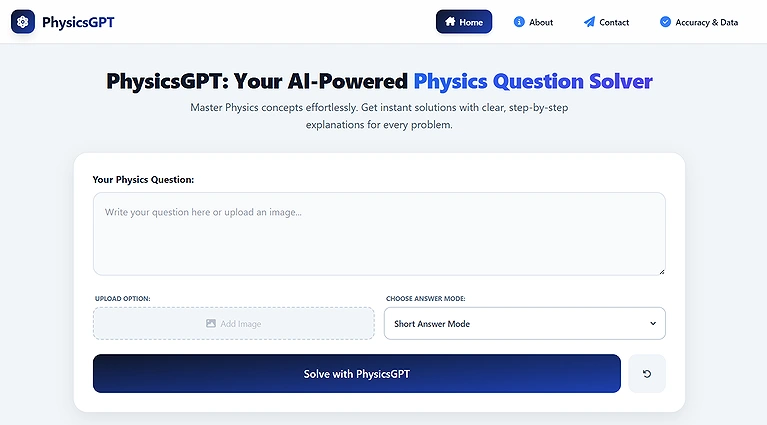
PhysicsGPT is a specialized AI tutor designed to help students understand physics concepts and solve problems through interactive, conversational learning. It explains topics like Newton’s laws, electromagnetism, thermodynamics, and quantum mechanics with step-by-step solutions and examples. By simulating real-world scenarios, it improves conceptual understanding and supports both beginners and advanced learners, making physics education more accessible and personalized.
PhysicsGPT (AI Physics Tutor)
Key Features
- AI-powered step-by-step physics problem solving
- Concept-based explanations across mechanics, quantum physics, and more
- Interactive learning support with real-world physics applications
- Personalized tutoring based on user level and queries
- Visual and intuitive breakdown of complex scientific concepts
How to Use PhysicsGPT ?
- Enter or upload a physics question or concept
- Receive step-by-step AI explanation and solution
- Explore related concepts for deeper understanding
- Use responses for revision, practice, and conceptual clarity
Pros
- Provides instant and clear explanations for physics problems
- Improves conceptual understanding across multiple physics domains
- Supports personalized learning for beginners to advanced students
- Helps visualize real-world physics applications easily
- Useful for quick revision and exam preparation
Cons
- May not always handle highly advanced research-level problems accurately
- Output quality depends on clarity of user input
- Limited offline functionality in most versions
- Cannot replace practical lab-based physics experiments
Pricing
PhysicsGPT follows a freemium model where basic tutoring features are free, while advanced reasoning, faster responses, and extended problem-solving capabilities are available in paid plans.
Use Cases
Ideal for physics tutoring, step-by-step problem solving, concept clarification, exam preparation, and personalized learning assistance.
Related Tools
ChatGPT, Wolfram Alpha, Socratic by Google, Mindgrasp AI
FAQs
1. What are the best AI tools for physics students?
Some of the top AI tools include Mindgrasp AI, LearnFast AI, QANDA, Siml.ai, VPython, LAMMPS, VSim, Project Chrono, and PhysicsGPT, all designed to help students understand complex physics concepts efficiently. They combine AI tutoring, simulations, and computational modeling for a complete learning experience.
2. How do AI tools help in learning physics?
AI tools provide interactive explanations, step-by-step solutions, and simulations, enabling students to grasp complex topics quickly, save time, and improve comprehension in areas like mechanics, thermodynamics, and quantum physics.
3. Are these AI tools suitable for beginners?
Yes, platforms like PhysicsGPT and VPython make physics accessible for beginners while still offering advanced features for university-level students.
4. Can AI tools replace traditional physics learning?
AI tools supplement traditional methods rather than replace them, providing personalized assistance, interactive simulations, and automated study resources to enhance learning.
5. Do AI physics tools require programming knowledge?
Some tools like LAMMPS and VSim may need basic programming or computational modeling knowledge, while others like Mindgrasp AI and QANDA require no coding skills, making them beginner-friendly.
Conclusion
AI tools for physics students are transforming how complex concepts are learned. Platforms like Mindgrasp AI, QANDA, Siml.ai, and PhysicsGPT combine AI tutoring, simulations, and modeling to simplify topics like mechanics and quantum physics. They enhance understanding, save time, and provide interactive learning, helping students perform better in exams, research, and real-world applications. If you're looking to turn these academic skills into a career, start by checking out our guide on the best AI tools for engineers to see where the industry is headed."