.webp)
Best AI Tools for Time Management to Boost Productivity in 2026
Your to-do list has a to-do list. Sound familiar? Between back-to-back meetings, fifteen browser tabs, and a calendar that looks like abstract art, "time management" often just means surviving the day. Here's the twist: the fix isn't another planner or a color-coded spreadsheet—it's letting AI do the boring parts of managing your time so you don't have to.
AI-powered time management tools automate tasks, manage schedules for
empowering business, and quietly kill decision fatigue before it kills your afternoon. They study your calendar, track where your time actually goes, and hand you insights you'd never spot on your own. With smart scheduling, workflow automation, and built-in AI assistants, these tools don't just save time—they hand you back your focus, one less-chaotic day at a time.

 Updated: April 26, 2026 | 32 min read
 | Best For | Pricing | Ease | |
| Google Calendar AI | Smart scheduling & reminders | Free | Beginner |
| Timely | Automatic time tracking | Paid | Beginner |
| Trevor AI | Task scheduling automation | Free + Paid | Beginner |
| RescueTime | Productivity tracking & focus analysis | Free + Paid | Beginner |
| Motion | AI-powered task & schedule planning | Paid | Beginner |
| Clockwise | Calendar optimization & meeting scheduling | Free + Paid | Beginner |
| TimeHero | Automated task planning | Paid | Intermediate |
| Slack | Team communication & workflow coordination | Free + Paid | Beginner |
| Notion | Productivity & workspace management | Free + Paid | Beginner |
| Asana | Project & task management | Free + Paid | Beginner |
| ClickUp AI | AI-enhanced productivity management | Free + Paid | Beginner |
| Reclaim.ai | Smart calendar scheduling | Free + Paid | Beginner |
| Todoist | Task management & reminders | Free + Paid | Beginner |
| Wrike | Enterprise project management | Paid | Intermediate |
| x.ai | AI scheduling assistant | Paid | Beginner |
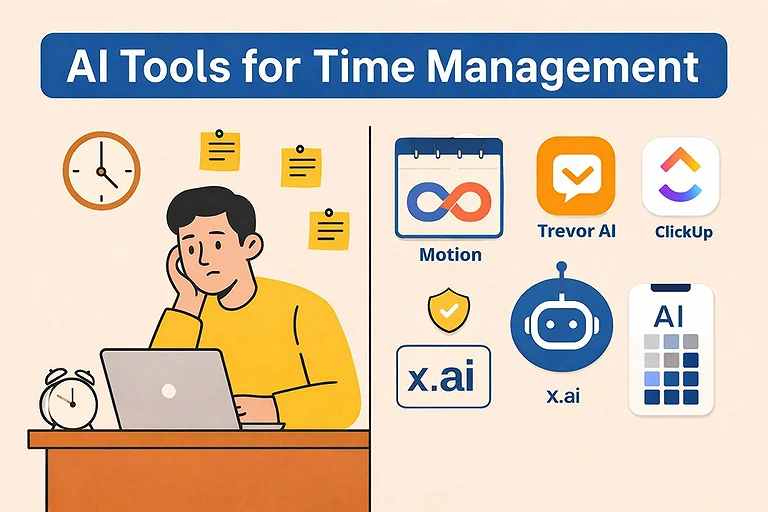
Cover Photo Source: A comprehensive overview of the AI tools revolutionizing time management and personal productivity. Save this post for a quick reference to the ultimate efficiency tech stack
What are AI time management tools?
AI time management tools are software applications that use artificial intelligence to help individuals and teams plan, track, and optimize their schedules. They can automatically prioritize tasks, schedule meetings, track productivity, and provide actionable insights to improve efficiency.
How AI improves time management?
AI-powered time management tools improve productivity by automating repetitive tasks, reducing decision fatigue, and optimizing schedules. They analyze calendars, emails, and task data to suggest better planning, resolve conflicts, and prioritize work. These tools streamline communication, enhance collaboration, and integrate with business systems, helping professionals focus on deep work, creativity, and higher-value strategic tasks.
Benefits of AI Time Management
- Automates and Organizes Workflows: AI tools reduce manual effort by
automating repetitive activities like data analysis, reminders, task scheduling,
and meeting coordination, freeing up time for strategic work.
- Optimizes Scheduling: By analyzing multiple calendars and detecting conflicts,
- AI suggests alternative meeting times and schedules high priority tasks during
peak focus windows.
- Enhances Decision Quality: AI can analyze and summarize large amounts of
structured and unstructured information instantly, enabling teams to share
insights and make faster, smarter decisions.
- Boosts Team Productivity: With AI handling time consuming administrative
sharing, assigning tasks, and integrating with business tools, teams spend
more time on execution rather than coordination.
- Improves Communication and Alignment: Automated reminders and seamless
integration with communication platforms reduce unnecessary check ins and
keep team members aligned on goals, deadlines, and workflows.
How We Selected These Tools
To identify the best AI time management tools for 2026, we evaluated each platform using practical criteria that matter to professionals, teams, and businesses.
Our evaluation focused on:
- AI-powered scheduling and calendar automation capabilities.
- Task prioritization and intelligent workload management.
- Automatic time tracking and productivity analytics.
- Integration with popular workplace tools like Google Calendar, Microsoft 365, Slack, Notion, Asana, and ClickUp.
- Ease of setup, user experience, and learning curve.
- Collaboration features for individuals, small teams, and enterprises.
- Automation capabilities that reduce repetitive scheduling tasks.
- Pricing, scalability, and overall value for different business sizes.
- Reliability, security, and ongoing product innovation.
Professional Workflow Stage
| Workflow Stage | Recommended Tools |
| Calendar & Meeting Scheduling | Google Calendar AI, Motion, Clockwise, Reclaim.ai, x.ai |
| Daily Task Planning | Trevor AI, Motion, Todoist, Notion |
| Automatic Time Tracking | Timely, RescueTime |
| Focus Time Optimization | Clockwise, Reclaim.ai, RescueTime |
| Project & Workload Management | Asana, ClickUp AI, Wrike, TimeHero |
| Team Collaboration | Slack, Notion, Asana, ClickUp AI |
| Productivity Analytics & Reporting | Timely, RescueTime, Wrike |
| Workflow Automation | ClickUp AI, Asana, Slack, TimeHero |
Platform Compatibility
| Platform | Supported By |
| Web Browser | All tools |
| Windows | Google Calendar AI, Timely, Trevor AI, RescueTime, Motion, Clockwise, TimeHero, Slack, Notion, Asana, ClickUp AI, Reclaim.ai, Todoist, Wrike, x.ai |
| macOS | Google Calendar AI, Timely, Trevor AI, RescueTime, Motion, Clockwise, TimeHero, Slack, Notion, Asana, ClickUp AI, Reclaim.ai, Todoist, Wrike, x.ai |
| Android | Google Calendar AI, Timely, RescueTime, Motion, Slack, Notion, Asana, ClickUp AI, Reclaim.ai, Todoist, Wrike |
| iOS | Google Calendar AI, Timely, RescueTime, Motion, Slack, Notion, Asana, ClickUp AI, Reclaim.ai, Todoist, Wrike |
| Google Workspace | Google Calendar AI, Motion, Clockwise, Reclaim.ai, Trevor AI, x.ai |
| Microsoft 365 | Motion, Clockwise, Reclaim.ai, TimeHero, Asana, ClickUp AI, Wrike |
| Slack Integration | Asana, ClickUp AI, Notion, Wrike, TimeHero, Google Calendar AI |
| API & Third-Party Integrations | Timely, Motion, ClickUp AI, Wrike, Asana, Notion, Slack, Reclaim.ai |
1. Google Calendar AI
Ever since Google introduced AI scheduling enhancements into Google Calendar AI, my planning went from passive planning to predictive scheduling — it now automatically suggests recurring event slots, surface recommended follow ups, warns about schedule overload, and uses context from your existing calendar to help you better manage time without switching apps, turning an ordinary calendar into a living planner that adapts as your day fills up.
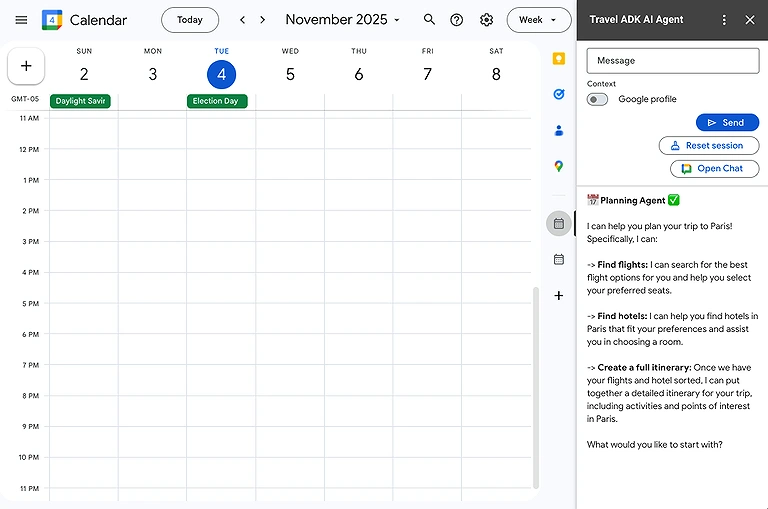
Official interface preview of Google Calendar AI—smart scheduling and automated time-management made simple
Key Features
- Auto generation of recurring tasks and reminders.
- Predictive slotting for ideal work and focus blocks.
- Smart suggestion of best meeting times.
- Conflict avoidance recommendations.
- Integration with Google Workspace for seamless work planning.
Best For
Google Calendar AI is best for existing Google Workspace users who want built in AI assistance without adopting another app.
How to Use Google Calendar AI ?
- Enable Gemini AI features inside Google Workspace.
- Create events using natural language prompts.
- Use “Help Me Schedule” for meeting coordination.
- Ask Gemini to suggest available meeting times.
- Automate recurring reminders and calendar tasks.
Pros
- Built into Google ecosystem — no separate app required.
- Simplifies recurring event planning.
- Helps maintain work life balance with smart nudges.
- Uses existing data to reduce manual planning.
- Accessible across devices instantly.
Cons
- Limited task AI compared to standalone tools.
- Doesn’t manage task priorities deeply.
- Advanced smart suggestions may require enabled features.
Best Use Cases
- Scheduling meetings across multiple time zones with AI-assisted suggestions.
- Organizing personal and work calendars in one centralized view.
- Automatically finding available meeting slots without manual coordination.
- Planning recurring events, reminders, and daily routines.
- Managing hybrid work schedules with shared team calendars.
Pricing Plans
Google Calendar AI is part of Google Workspace Plans (Free, Business, Enterprise), with more advanced AI capabilities in paid tiers.
Alternative Tools
Motion, Clockwise, Reclaim.ai
2. Timely
Timely is an AI-powered automatic time-tracking tool that records work activities in the background across apps, emails, meetings, and documents. It removes the need for manual timers by generating smart timesheets and matching tasks to projects. With productivity insights, project tracking, and integrations, it helps improve time estimation, workload planning, and overall work efficiency.
Key Features
- Automatic time tracking that records work across apps and websites without
- input
- AI timesheets that categorize time by project and client using machine learning
- Detailed reporting and project dashboards for oversight and billing purposes
- Seamless integrations with project management and accounting tools
- Intuitive interface and memory tracker to visualize daily work logs
Best For
Timely is best for software companies, agencies, and teams that need accurate daily activity logs without manual effort, plus detailed productivity insights and project tracking tied to billing and planning.
How to Use Timely
- Install the Memory Tracker for automatic activity tracking.
- Connect project management and calendar apps.
- Generate AI-powered timesheets automatically.
- Track billable and non-billable work hours.
- Use reporting dashboards to analyze productivity.
- Pros
- Automatic & highly accurate tracking with minimal setup
- User-friendly design that’s easy to adopt for teams
- Strong reporting features and project planning insights
- Privacy-first approach ensuring data stays protected
- Integrates well with many external tools
Cons
- Higher pricing compared to some competitors
- No free plan available after trial
- Some advanced features are behind higher-tier plans
- Mobile app lacks full desktop capabilities
- Limited payroll integrations requiring external solutions
- Best Use Cases
- Automatic time tracking without manually starting or stopping timers.
- Tracking billable hours for agencies, consultants, and freelancers.
- Monitoring employee productivity across projects and clients.
- Generating accurate timesheets for payroll and invoicing.
- Analyzing workload trends to improve project planning and resource allocation.
Pricing Plans
Starter: ~$11 per user/month with basic automatic tracking and project limits
Premium: ~$20 per user/month with unlimited projects and team management
Unlimited: ~$28 per user/month with advanced capacity planning and reporting
(Annual billing offers up to ~22% savings.)
Alternative Tools
RescueTime, Clockify, TimeHero
3. Trevor AI
Switching to Trevor AI made a profound difference in how I connect my tasks with my actual available hours because this smart assistant bridges your to do list and calendar, learning how you work so it can recommend optimal times to complete tasks, adjust priorities, and reduce the overwhelm of everyday planning — it’s like having a personal scheduler that understands the rhythm of your day and nudges your plans accordingly.
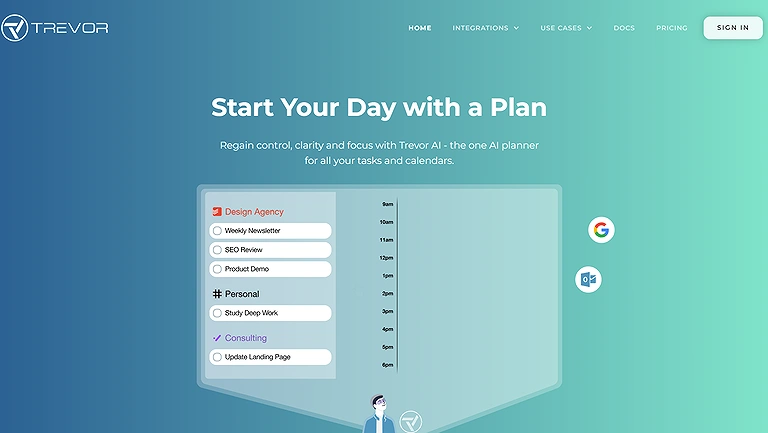
Official source view of Trevor AI—the human-in-the-loop assistant designed to turn overwhelming to-do lists into clear, time-blocked action plans
Key Features
- Intelligent syncing between tasks and calendar slots.
- Adaptive timing recommendations based on work patterns.
- Auto proposal of ideal slots for overdue tasks.
- Visibility into workload density throughout the week.
Best For
Trevor AI shines for individuals juggling hybrid schedules who want automatic task placement without the burden of manual calendar management.
How to Use Trevor AI
- Connect Trevor AI with Google Calendar or Todoist.
- Drag and drop tasks into your daily schedule.
- Prioritize tasks using AI-assisted planning.
- Allocate focus time blocks automatically.
- Track completed tasks for productivity insights.
Pros
- Helps prevent overscheduling by suggesting realistic slots.
- Learns work patterns to refine scheduling suggestions.
- Works with existing task apps and calendars.
Cons
- Limited depth compared to full project management suites.
- Some AI suggestions feel too cautious for fast workers.
- Best features reserved for paid tiers.
Best Use Cases
- Converting to-do lists into realistic daily schedules.
- Time-blocking important tasks directly on your calendar.
- Prioritizing work based on deadlines and available time.
- Managing ADHD-friendly structured work routines.
- Balancing personal tasks alongside professional responsibilities.
Pricing Plans
Trevor AI usually offers Free tier with basic scheduling suggestions, and Premium monthly & yearly plans with advanced timing proposals.
Alternative Tools
Motion, Reclaim.ai, Sunsama
4. RescueTime
RescueTime is an automatic productivity tracking tool that runs in the background to monitor how time is spent across apps, websites, meetings, and emails. It converts activity data into clear productivity insights, helping users understand habits and distractions. With goals, alerts, and weekly reports, it improves focus, time management, and overall digital work efficiency.
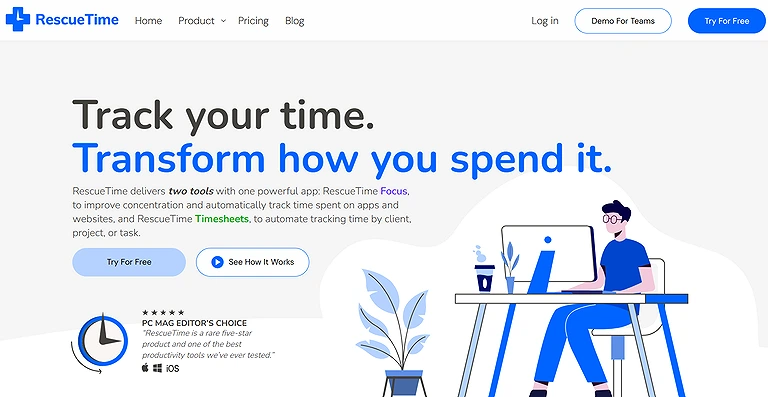
Official source view of RescueTime—automatic, background time-tracking designed to give you an honest look at your focus habits
- Key Features
- Automatic background activity tracking showing where time is spent across
apps and websites.
- Goal tracking and alerts that help you stay focused on your targets.
- Focus sessions that block distracting sites to promote sustained focus.
- Detailed dashboard and reports with daily and weekly insights.
- Weekly summary emails that reinforce patterns and areas for improvement.
Best For
RescueTime is especially suited for individuals, freelancers, and remote workers who want to gain a clear picture of how they spend their digital activities and improve their focus without the burden of manual logging — perfect if your priority is understanding and optimizing your true work habits rather than billing clients or managing large teams.
How to Use RescueTime ?
- Install the desktop or mobile tracking app.
- Monitor app and website usage automatically.
- Set productivity goals and focus sessions.
- Receive reports on distractions and work habits.
- Use alerts to reduce unproductive activities.
Pros
- Automatic tracking means no timers or manual input required.
- Clear productivity insights into actual habits vs perceived work.
- Helps identify time wasting patterns you might otherwise miss.
- Distraction blocking tools help cultivate deep work sessions.
- Lightweight app that doesn’t slow down your system.
Cons
- Not ideal for billing or detailed client/project invoicing.
- Free plan is limited compared to premium features.
- Team management features are basic compared to full team tools.
- Mobile tracking is less comprehensive than desktop.
- Some insights may feel simplistic or subjective.
Best Use Cases
- Monitoring computer usage to identify productivity patterns.
- Reducing distractions from websites and non-work applications.
- Measuring focused work time and deep work sessions.
- Creating productivity reports for individuals and remote employees.
- Improving work habits through AI-generated productivity insights.
Pricing Plans
RescueTime offers flexible yearly or monthly subscriptions:
Lite (Free): Basic automatic tracking and limited reports.
Solo+: ~$12/month (annual) with advanced focus sessions, goals, and full
analytics.
Team: ~$10/month per user (annual) with team focus and shared insights.
Team+: ~$16/month per user (annual) with timesheets and deeper reporting.
Alternative Tools
Timely, Clockify, TimeCamp
5. Motion
Motion is an AI-powered planner that automatically schedules tasks based on deadlines, priorities, and workload patterns. It turns task lists into a structured daily calendar and continuously adjusts plans when changes occur. By integrating with existing tools and balancing work blocks with breaks, it helps users manage time more efficiently and maintain a realistic, well-organized workflow. For those in a career transition, using Motion to auto-schedule interview prep can significantly boost your job search efficiency.
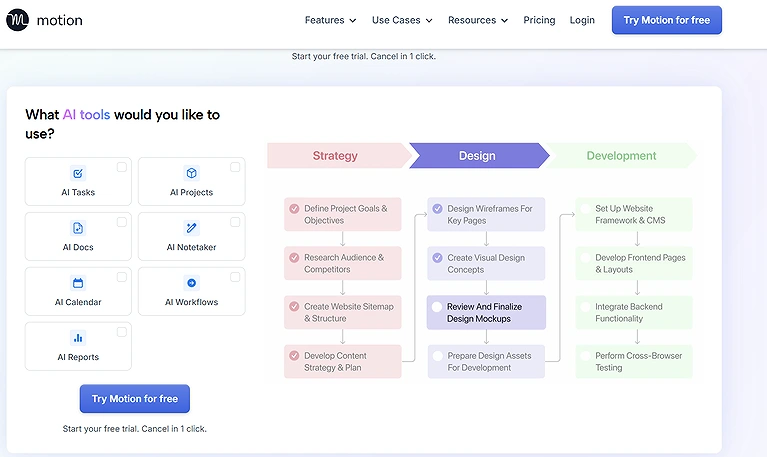
Official source view of Motion—the intelligent workspace assistant designed to auto-plan your day and eliminate manual task scheduling.
Key Features
- Intelligent auto scheduling based on task urgency and deadlines.
- Dynamic rescheduling when priorities change.
- Balances work blocks with planned breaks.
- Integrates with major calendars and task tracking apps.
- Predictive workload distribution based on past productivity.
Best For
Motion is best for individual professionals and knowledge workers who want an AI that actively plans their day rather than just reminding them of tasks.
How to Use Motion
- Import tasks from calendars and task managers.
- Let AI automatically build daily schedules.
- Prioritize urgent and deadline-based tasks.
- Use AI calendar optimization for meetings.
- Reorganize schedules automatically when tasks change.
Pros
- Saves hours normally spent on manual planning.
- Helps maintain focus by minimizing decision fatigue.
- Smooth integration with calendar and task apps.
- Automatically adapts to changing timelines.
- Makes goal timelines more realistic.
Cons
- Can feel complex at first to set up your preferences.
- Some automation suggestions may not always match personal style.
- Advanced predictive features require paid plans.
- Best Use Cases
- Automatically building optimized daily schedules based on priorities.
- Managing multiple projects with AI task planning.
- Rescheduling unfinished work without manual updates.
- Coordinating meetings while protecting focus time.
- Helping busy executives and managers balance changing workloads.
Pricing Plans
Motion typically offers a Free trial, Monthly plan, and a Pro plan with fuller automation and calendar syncing.
Alternative Tools
Clockwise, Reclaim.ai
6. Clockwise
Clockwise is an AI calendar assistant that optimizes meeting schedules and protects focus time by automatically rearranging meetings based on team availability and priorities. It creates uninterrupted work blocks, manages breaks and personal time, and adapts to schedule changes. With integrations like Google Calendar, Outlook, and Slack, it improves coordination, reduces conflicts, and enhances team productivity. By using AI to analyze your focus patterns, these tools provide a level of insight similar to trending AI tools for data analysis, but specifically for your personal habits.
Key Features
- Smart scheduling that analyzes multiple schedule options to optimize meetings.
- Custom time blocking that intelligently reserves time for breaks and deep work.
- Creates blocks of free time by moving or rescheduling meetings.
- Integration with calendar platforms like Google Calendar, Outlook, and Slack.
- Avoid scheduling conflicts by resolving complex agenda overlaps.
- Collaboration tools that let teams share availability and plan group meetings.
Best For
Clockwise is best for teams, managers, and professionals who juggle multiple meetings and need a smarter way to coordinate calendars without losing track of focus time or productivity, especially where meeting overload and schedule conflicts are everyday concerns.
How to Use Clockwise
- Connect your Google Calendar account.
- Allow AI to optimize meeting schedules.
- Create uninterrupted focus time automatically.
- Sync team schedules for collaboration.
- Reduce meeting conflicts with smart rescheduling.
Pros
- Significantly improves productivity by finding better meeting times.
- Helps enforce work life balance with intelligently created free slots.
- Works seamlessly with the major calendar services used by teams.
- Collaboration features simplify teamwork and planning.
Cons
- Limited advanced project management features compared to dedicated PM
tools.
- Some customization settings for scheduling are still rigid.
- Free version has basic capabilities; more advanced tools require a paid plan.
- Can take a short learning curve for teams unfamiliar with AI scheduling.
- Best Use Cases
- Optimizing team calendars to create uninterrupted focus blocks.
- Reducing meeting conflicts across departments.
- Coordinating hybrid and remote team schedules.
- Automatically moving flexible meetings to improve productivity.
- Protecting individual work time while maintaining collaboration.
Pricing Plans
Clockwise offers flexible pricing based on team needs:
Free Version: Basic AI scheduling and free time slots.
Teams Version: Around $6.75 per user/month with enhanced scheduling and
team features.
Business Version: Around $11.50 per user/month with advanced coordination
and integrations.
Alternative Tools
Motion, Reclaim.ai, Google Calendar AI
7. TimeHero
TimeHero is an AI task management tool that automatically plans and adjusts your schedule based on priorities, deadlines, and real-time calendar changes. It organizes daily, weekly, and recurring tasks intelligently while highlighting high-risk items that may be delayed. With workflow templates, task dependencies, and smart automation, it simplifies project planning and improves overall productivity and time management.
Key Features
- Analyzes activities and builds dynamic plans that shift with your calendar.
- Smart recurring tasks that automatically schedule repeated work.
- AI risk levels that highlight tasks likely to be missed.
- Smart workflow builder with templates to streamline project flow.
- Automatic priority adjustments based on real time changes.
Best For
TimeHero is best suited for busy professionals, project leads, and productivity enthusiasts who want a planning app that thinks ahead, helping them juggle priorities while keeping risk and dependencies visible so nothing gets overlooked
How to Use TimeHero
- Add projects and recurring tasks.
- Connect calendars and productivity apps.
- Let AI schedule tasks automatically.
- Monitor deadlines and workload capacity.
- Track team productivity with analytics.
- Pros
- Adapts task lists automatically as schedules shift.
- Helps prevent missed deadlines with risk insights.
- Reduces manual planning work through AI automation.
- Intuitive handling of recurring tasks and dependencies.
- Encourages consistent productivity with structured planning.
Cons
- Can feel complex initially due to depth of features.
- Small startup teams might not fully need all automation.
- Some advanced templates require higher tier subscription.
- Occasional over priority flags on lower impact tasks.
- Not ideal for simple checklist users who prefer minimal tools.
Best Use Cases
- Automatically scheduling tasks based on workload and deadlines.
- Managing recurring operational workflows.
- Tracking project progress without constant manual updates.
- Coordinating work across multiple team members.
- Improving delivery timelines through AI-powered task planning.
Pricing Plans
TimeHero’s pricing is tiered to support both individuals and teams:
Essential: ~$10/month per user, core AI planning and scheduling.
Professional: ~$18/month per user, smart automation and workflow templates.
Enterprise: Custom pricing with advanced analytics and team features.
Alternative Tools
Motion, Timely
8. Slack
Slack is an AI-powered collaboration platform that centralizes team communication, projects, and workflows in one place. With integrations for thousands of apps and Workflow Builder automation, it reduces repetitive tasks like reminders, assignments, and scheduling. Slack AI adds smart search and conversation summaries, while AI agents help draft messages and provide insights, improving productivity and knowledge sharing across teams.
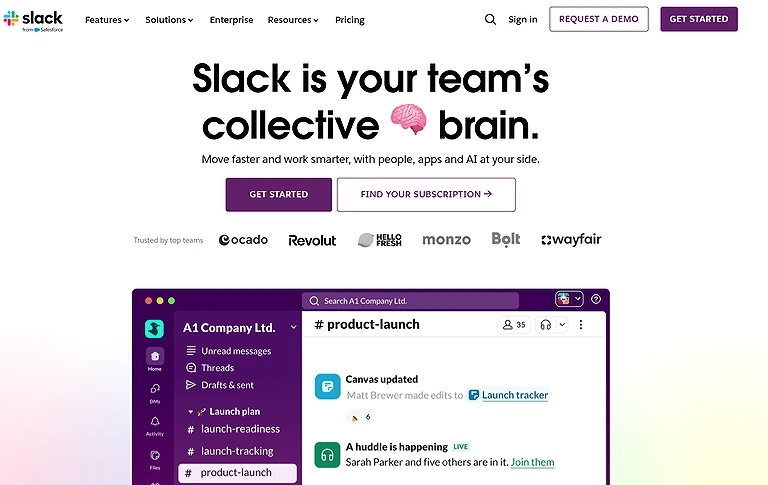
Official source view of Slack—the collaborative hub designed to bring team communication, file sharing, and app integrations into one stream.
Key Features
- AI-powered integrations that unify communication and productivity.
- Workflow Builder for time saving automations of routine tasks.
- Slack AI with conversational search and information summarization tools.
- App integration with third party and internal tools to reduce app switching.
- Agentforce AI agents that handle delegated tasks and provide
recommendations.
Best For
Slack is best for teams and organizations that need a centralized hub to collaborate, automate workflows, and manage time sensitive tasks while reducing friction between communication and project execution.
How to Use Slack
- Organize communication using channels.
- Integrate calendars and productivity tools.
- Use Slack AI for message summaries.
- Automate reminders and workflow notifications.
- Schedule meetings directly within conversations.
Pros
- Deep integration across tools removes workflow friction.
- Automation eliminates repetitive admin tasks.
- AI search and summaries reduce time finding information.
- Digital agents help reduce workload on team members.
- Encourages organizational knowledge sharing and collaboration.
Cons
- Can feel overwhelming initially due to feature depth.
- Costs can add up with advanced integrations.
- Some automation workflows require setup time.
- Overreliance on AI may miss context without human review.
- Notifications can still distract without careful management.
Best Use Cases
- Managing team communication alongside AI-powered workflow automation.
- Receiving reminders and task notifications from integrated productivity tools.
- Collaborating in real time without switching between multiple apps.
- Automating routine approvals and project updates.
- Centralizing communication for remote and distributed teams.
Pricing Plans
Slack offers several flexible plans:
Free: Basic messaging and limited integrations.
Pro: Enhanced collaboration and more app integrations.
Business+: Advanced security and workflow automation.
Enterprise Grid: For large organizations with full admin controls.
Alternative Tools
Microsoft Teams, Discord, Google Chat
9. Notion
Notion is an all-in-one productivity workspace that combines notes, tasks, documents, and scheduling in a fully customizable system. Notion acts as a centralized hub, making it one of the most essential AI tools for university students who need to sync their lecture notes with their study calendars. It helps users organize work and personal plans with calendars, templates, and visual planning tools. With Notion AI, it assists in writing, brainstorming, and task prioritization. Real-time collaboration and integrations with tools like Slack, Jira, and Asana keep workflows connected and efficient.
- Key Features
- Customizable interface with tables, lists, calendars, and templates for
organizing information.
- Built in calendar that integrates personal and professional schedules.
- Time saving AI features through the NotionAI plugin for writing, brainstorming,
and planning.
- AI templates designed for users to structure workflows and achieve specific
goals.
- Third party tool integration with apps like Slack, Jira, and Asana.
Best For
Notion is best for individuals and teams who want a flexible, all in one workspace that unifies notes, project planning, and scheduling with AI enhanced productivity features, especially if you enjoy tailoring your workflow rather than fitting into a rigid app mold.
How to Use Notion
- Create AI-powered notes and task databases.
- Use templates for project and time management.
- Generate summaries and meeting notes with AI.
- Organize schedules using calendar views.
- Collaborate with teams in shared workspaces.
Pros
- Highly customizable to fit individual and team workflows.
- Combines notes, tasks, schedules, and docs in one workspace.
- AI assists with creative and planning tasks, saving hours of work.
- Excellent for real time collaboration with teams.
- Color coded calendar tools help visualize commitments at a glance.
Cons
- Steeper learning curve for new users due to deep feature set.
- Some advanced capabilities are limited on the free version.
- Over customization can lead to cluttered workspaces if not managed.
- AI features may require higher tier subscriptions.
- Lacks some advanced, built in project management features compared to
standalone PM tools.
Best Use Cases
- Creating AI-assisted knowledge bases and documentation.
- Organizing projects, notes, tasks, and meeting summaries in one workspace.
- Generating content drafts and brainstorming ideas with AI.
- Managing personal productivity systems and team collaboration.
- Building customized productivity dashboards for individuals and organizations.
Pricing Plans
Notion’s pricing tiers include:
Free Plan: Basic features with limited blocks and integrations.
Plus/Team Plan: Affordable options for teams with more collaborators and
storage.
Business Version: Adds advanced admin controls and collaboration tools.
Enterprise Plan: Custom pricing with enterprise grade security and support.
Alternative Tools
ClickUp AI, Evernote, Asana
10. Asana
Asana is a project and task management tool designed to improve team collaboration and time management. It helps organize tasks, timelines, and workflows with real-time updates and notifications for deadlines and changes. With automation for assignments, approvals, and reminders, it reduces manual work, while AI-powered dashboards provide insights to balance workloads and support data-driven project planning.Tools like Asana help teams manage their business smarter by turning complex project timelines into automated, bite-sized tasks
Key Features
- Real time notifications for task updates and deadlines.
- Custom automations to handle repetitive workflows.
- Automating approval workflows to speed up decision loops.
- Due date reminders tailored to your schedule.
- AI powered dashboards delivering actionable insights.
- Integration of apps to centralize relevant information.
Best For
Asana is best for teams and organizations that juggle multiple projects, deadlines, and cross functional workstreams, particularly where visibility, automation, and workload balance are critical to success.
How to Use Asana
- Create projects and assign tasks.
- Set deadlines and recurring workflows.
- Use AI features for task recommendations.
- Track productivity through dashboards.
- Automate repetitive work processes.
Pros
- Keeps teams aligned with up to the minute updates.
- Automations significantly reduce manual tasks.
- AI insights help managers balance workloads.
- Centralized task and schedule visibility improves coordination.
Cons
- Can feel overwhelming for very small or simple teams.
- Some advanced features require higher tier subscriptions.
- Custom automation setup has a learning curve.
Best Use Cases
- Managing complex projects with AI-assisted task prioritization.
- Coordinating cross-functional teams across multiple departments.
- Tracking deadlines, dependencies, and project milestones.
- Automating recurring workflows and approval processes.
- Improving visibility into team workloads and project progress.
Pricing Plans
Asana offers a variety of pricing tiers:
Basic (Free): Core task management with limited features.
Premium: Advanced workflow automation and timeline views.
Business: AI insights, custom rules, and cross enterprise integrations.
Enterprise: Added security and enterprise scale controls.
Alternative Tools
Trello, Wrike
11. ClickUp AI
I found ClickUp (AI assisted features) to be a game changer because it turns a robust task platform into an AI driven time management hub — the AI can auto assign tasks, generate actionable scheduling suggestions, summarize updates, and recommend when you should shift deadlines or prioritize activities based on workload, meaning ClickUp helps teams not just track work, but optimize time and reduce friction across complex workflows. ClickUp AI allows you to draft content directly inside your tasks, functioning much like the top free AI writing platforms but within a productivity suite.
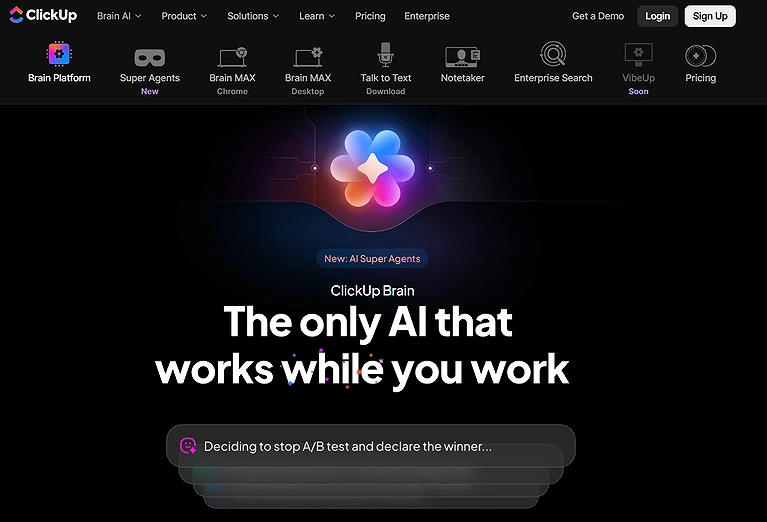
Official source view of ClickUp AI—the integrated assistant built to automate manual task updates, summarize long threads, and accelerate content creation.
Key Features
- AI task auto assignment based on team availability.
- Smart suggestions for schedule changes.
- Task summary generation with AI.
- Predictive workload balancing.
- AI assisted time estimates for tasks.
Best For
ClickUp AI is best for teams needing centralized time and task management, especially where project complexity requires both planning and AI driven adjustments.
How to Use ClickUp AI
- Manage tasks and documents in one workspace.
- Use AI to summarize meetings and tasks.
- Automate workflows and reminders.
- Track project timelines with dashboards.
- Generate productivity reports using AI.
Pros
- Deep customization across tasks and calendars.
- AI assistant saves time on planning logic.
- Integrated productivity dashboard for visibility.
- Works well for both individuals and teams.
- Reduces manual planning decisions.
Cons
- Complexity for new users can be high.
- Some AI features locked behind premium tiers.
- Interface can feel overwhelming without customization.
Best Use Cases
- Managing projects, documents, and tasks from a single platform.
- Using AI to generate summaries, action items, and project updates.
- Automating repetitive project management workflows.
- Coordinating software development, marketing, and operations teams.
- Tracking goals, productivity, and resource allocation at scale.
Pricing Plans
ClickUp offers Free plan, Unlimited, Business, and Enterprise plans with increasing AI and automation capabilities.
Alternative Tools
Notion, Asana
12. Reclaim.ai
Reclaim.ai is an AI scheduling assistant that optimizes calendars by automatically planning tasks, meetings, and habits around your priorities. It syncs multiple calendars into one view and adjusts schedules dynamically as new events appear. With smart time blocking, Slack and Zoom integrations, and automated scheduling features, it helps protect focus time, manage workloads, and improve overall productivity.
Key Features
- Sync unlimited calendars into one unified view.
- AI scheduling assistant that plans your week around priorities.
- Flexible time blocking to reserve focus and productive time.
- Automatic calendar adjustments as tasks and meetings change.
- Integration with Slack and Zoom for seamless team coordination.
- Add and sync tasks from project management tools directly to your schedule.
Best For
Reclaim.ai is best for professionals and teams who juggle multiple calendars, responsibilities, and clients, and want an AI driven approach to scheduling that balances focus work, meetings, and personal time — especially if you’re aiming to automate your calendar without losing control of your day.
How to Use Reclaim.ai
- Sync Google Calendar with Reclaim.ai.
- Automatically schedule habits and tasks.
- Protect focus time with AI scheduling.
- Optimize meetings around priorities.
- Track work-life balance using analytics.
Pros
- Simplifies complex multi calendar views into one actionable schedule.
- Makes time for both meetings and focus work without clogging your day.
- Smart priority levels put important tasks first.
- Integrates well with popular tools teams already use.
- Helps protect against burnout with effective time blocking.
- Free version offers strong core features for everyday planning.
Cons
- Free version lacks some advanced automation features found in paid plans.
- Requires initial setup to tailor priority levels and blocks.
- Occasional conflicts when integrating overlapping calendar rules.
- Can feel overwhelming for users who prefer manual scheduling.
- Some premium features may be pricey for freelancers.
Best Use Cases
- Automatically protecting focus time on busy calendars.
- Scheduling habits such as exercise, learning, and personal routines.
- Balancing meetings with deep work sessions.
- Coordinating availability across multiple calendars.
- Preventing overbooking while maximizing productive work hours.
Pricing Plans
Reclaim.ai typically offers:
Free Version: Basic calendar syncing and prioritizing tools.
Pro/Personal Plans: Advanced automation and flexible time blocking.
Team/Business Plans: Enhanced collaboration features and admin controls.
Alternative Tools
Clockwise, Motion
13. Todoist
Todoist is a task management app that simplifies personal and team productivity with easy to use to do lists, due dates, and recurring reminders. It helps organize work by prioritizing tasks, breaking them into subtasks, and suggesting next steps with AI assistance. With seamless integrations across email, calendar, and other apps, it streamlines task tracking and improves daily planning efficiency.
- Key Features
- Clean to do list view with drag and drop functionality for organizing work.
- Recurring tasks and reminders that keep routines consistent.
- Built in AI assistant that offers actionable advice and smart suggestions.
Best For
Todoist is best for busy professionals, students, and teams who need a straightforward task organizer that blends simplicity with smart features to help you stay on top of your daily responsibilities.
How to Use Todoist
- Create daily and recurring tasks.
- Organize priorities using labels and filters.
- Connect calendars and productivity apps.
- Track progress with productivity goals.
- Use AI integrations for smarter planning.
- Pros
- Easy to use for both individuals and teams.
- AI suggestions help keep productivity on track.
- Integrates smoothly with calendars and other workflows.
Cons
- Free plans are limited compared to paid plans.
- AI assistance isn’t as deep as full project level tools.
- Best Use Cases
- Managing personal and professional task lists efficiently.
- Organizing recurring tasks and long-term goals.
- Prioritizing daily work using labels, filters, and deadlines.
- Collaborating on shared projects with small teams.
- Maintaining simple productivity workflows without unnecessary complexity.
Pricing Plans
Free Plan: Basic task management with essential features.
Premium Plan: Advanced reminders, labels, and productivity insights.
Business Plan: Team focused features with admin controls.
Alternative Tools
Microsoft To Do, TickTick
14. Wrike
Wrike is an advanced project management platform designed for large teams and complex workflows. It uses AI to predict risks, track progress, and flag potential delays early. With customizable workflows, automation, and built-in time tracking, it reduces manual work. Detailed reporting and productivity insights help teams manage projects efficiently and make informed decisions.
Key Features
- AI risk prediction to highlight projects at risk of missing deadlines.
- Custom workflow tools for tailored business process automation.
- Automated time tracking to monitor effort without manual entry.
- Reporting features that generate detailed insights and analytics.
- Support for cross functional teams with customizable tracking options.
Best For
Wrike is best for medium to large teams and complex project environments that need a powerful blend of AI driven insights, workflow customization, and comprehensive reporting to manage time, tasks, and resources at scale.
How to Use Wrike
- Manage projects using collaborative dashboards.
- Automate workflows and approvals.
- Track team productivity in real time.
- Use AI risk prediction for projects.
- Generate reports for workload management.
Pros
- Strong AI insights that help anticipate project risks.
- Highly flexible workflows tailored to unique business needs.
- Reduces busywork with automation of repetitive tasks.
- Comprehensive reporting that supports decision making.
- Time tracking and billable hours features help with resource planning.
Cons
- Steeper learning curve for teams new to advanced PM tools.
- Not as intuitive for small projects or simple task tracking.
- Some advanced functions require higher tier plans.
- Can feel overwhelming without proper setup and training.
- Pricing may be high for smaller teams or freelancers.
Best Use Cases
- Managing enterprise-level projects across large organizations.
- Coordinating marketing, creative, and operations teams.
- Tracking project performance with AI-generated insights.
- Automating approvals, requests, and workflow management.
- Monitoring resource utilization and workload distribution.
Pricing Plans
Wrike typically offers tiered plans that include:
Free Plan: Basic task and collaboration features for small teams.
Professional: Advanced planning and integrations.
Business: Customization, automation, and reporting features.
Enterprise: Full enterprise controls and security.
Alternative Tools
Monday.com
15. x.ai
When I adopted x.ai for scheduling, I realized how much time was wasted coordinating meetings — this AI meeting scheduler eliminates back and forth emails by checking participant availability and proposing meeting slots that fit everyone, letting you embed preferences directly so organizers and teams don’t lose minutes negotiating times; it’s efficient, respectful of calendars, and reduces cognitive load when planning with others.
Key Features
- Automated meeting time proposals based on attendee availability.
- Personalized scheduling preferences remembered over time.
- Calendar integration with major email and scheduling platforms.
- Smart conflict detection before sending invitations.
- Auto update reminders for participants.
Best For
x.ai is excellent for teams and professionals who spend significant time coordinating across time zones and want an AI to own the scheduling process.
How to Use x.ai ?
- Connect email and calendar accounts.
- Let AI schedule meetings automatically.
- Share scheduling links with participants.
- Automate meeting confirmations and reminders.
- Reduce manual back-and-forth communication.
Pros
- Dramatically cuts down scheduling email threads.
- Respects all invitee calendars without manual checking.
- Great for cross team and external coordination.
- Supports recurring scheduling preferences.
- Real time notifications for scheduling changes.
Cons
- Premium features behind paywall.
- Learning curve for customizing preferences.
- Lack of deeper task planning beyond meetings.
Best Use Cases
- Automatically scheduling meetings through email conversations.
- Eliminating back-and-forth communication for appointment booking.
- Coordinating interviews, sales calls, and client meetings.
- Managing executive calendars with minimal manual effort.
- Simplifying scheduling across different time zones and participants.
Pricing Plans
x.ai typically offers Starter, Pro, and Team plans, with features scaling from basic scheduling to robust team collaboration.
Alternative Tools
Calendly
Which Tool Should You Choose?
| If You Need... | Recommended Tools |
| The best overall AI time management solution | Motion, Reclaim.ai |
| Automatic time tracking | Timely, RescueTime |
| AI-powered task scheduling | Motion, Trevor AI, TimeHero |
| Smart calendar management | Google Calendar AI, Clockwise, Reclaim.ai |
| Better focus and fewer meeting interruptions | Clockwise, RescueTime, Reclaim.ai |
| Personal task management | Todoist, Trevor AI, Notion |
| Team project management | Asana, ClickUp AI, Wrike |
| AI-assisted workplace collaboration | Slack, Notion, ClickUp AI |
| Enterprise workload and resource planning | Wrike, Asana, ClickUp AI |
| Freelancers and consultants | Timely, Todoist, Google Calendar AI |
| Small businesses | Motion, TimeHero, Notion |
| Large enterprises | Wrike, Asana, ClickUp AI |
| Automated meeting scheduling | x.ai, Google Calendar AI, Reclaim.ai |
| Knowledge management with task organization | Notion, ClickUp AI |
How to Choose the Right Tool
Choosing the best AI time management tool depends on how you work, the size of your team, and the type of productivity challenges you want to solve. Consider
these factors before making a decision:
- Identify whether your biggest challenge is scheduling, task management, time tracking, or team collaboration.
- Choose tools with AI automation that reduce manual planning instead of simply organizing tasks.
- Verify compatibility with your existing calendar, email, project management, and communication platforms.
- Consider whether the tool supports both individual productivity and team collaboration if your organization is growing.
- Look for reporting and productivity analytics if measuring time usage is important.
- Evaluate automation features such as smart scheduling, recurring tasks, meeting optimization, and workload balancing.
- Compare pricing against the features your team will actually use.
- Test the free plan or trial before committing to a paid subscription.
Common Challenges
Although AI time management tools improve productivity, organizations may encounter several challenges during implementation:
- Sync issues between calendars, task managers, and third-party applications.
- Learning curves when employees transition from manual planning.
- Overreliance on AI recommendations instead of human judgment.
- Privacy concerns related to automatic activity tracking and productivity monitoring.
- Limited AI capabilities in free plans compared to premium subscriptions.
- Scheduling conflicts caused by incomplete or outdated calendar information.
- Integration limitations with legacy workplace software.
- Balancing automated scheduling with personal work preferences and unexpected priorities.
Future of AI Time Management
AI time management is rapidly evolving from simple scheduling assistants into intelligent productivity platforms that continuously optimize how people work. Future solutions will use larger context windows, predictive analytics, and autonomous AI agents to schedule meetings, prioritize tasks, balance workloads, and adapt calendars in real time with minimal user input.
As workplace ecosystems become more connected, AI will coordinate across calendars, project management platforms, communication tools, CRM systems, and collaboration software to create unified productivity workflows. Advanced personalization, predictive workload forecasting, and proactive burnout detection are also expected to become standard capabilities, helping both individuals and organizations make smarter use of their time while improving overall efficiency and employee well-being.
FAQS
1. What are AI time management tools?
AI time management tools use artificial intelligence to help users organize schedules, prioritize tasks, automate calendar management, and optimize daily workloads. They analyze deadlines, meetings, and work patterns to recommend the most efficient use of your time while reducing manual planning.
2. What is the best AI tool for time management in 2026?
The best tool depends on your needs. Motion is ideal for AI-powered scheduling, Timely excels at automatic time tracking, Reclaim.ai is great for protecting focus time, Google Calendar AI simplifies meeting scheduling, and ClickUp AI and Asana are strong choices for managing projects and team productivity.
3. Can AI automatically schedule my tasks and meetings?
Yes. Many AI time management tools automatically schedule tasks, meetings, and reminders based on your calendar availability, priorities, deadlines, and existing commitments. They can also reschedule work dynamically when your plans change.
4. Which AI time management tool is best for teams?
For collaborative teams, Asana, ClickUp AI, Wrike, Slack, and TimeHero are among the best options. They combine AI-assisted task management, project planning, workload balancing, and team communication to improve productivity across departments.
5. Are AI time management tools suitable for freelancers?
Absolutely. Freelancers can benefit from tools like Timely for automatic time tracking, Todoist for task organization, Motion for AI scheduling, and Google Calendar AI for managing client meetings and deadlines. These tools help improve productivity while accurately tracking billable hours.
6. Do AI time management tools integrate with Google Calendar and Microsoft Outlook?
Most leading AI time management platforms integrate with Google Calendar, Microsoft Outlook, and Microsoft 365. Many also connect with Slack, Notion, Zoom, ClickUp, Asana, Trello, and other popular workplace applications to create a unified workflow.
7. Can AI time management tools improve productivity?
Yes. By automating scheduling, prioritizing tasks, reducing meeting conflicts, and providing productivity insights, AI time management tools help users spend less time planning and more time completing meaningful work. Many organizations also use them to improve team efficiency and workload distribution.
8. Are AI time management tools safe to use?
Reputable AI productivity platforms use encryption, secure authentication, and privacy controls to protect user data. If a tool offers automatic activity tracking, review its privacy settings and data policies to ensure they align with your organization's security requirements.
9. What's the difference between AI scheduling tools and AI time-tracking tools?
AI scheduling tools focus on planning calendars, meetings, and tasks automatically, while AI time-tracking tools monitor how your time is spent across projects and applications. Some platforms combine both capabilities, but many specialize in one area.
10. Are there free AI time management tools?
Yes. Several tools offer free plans or free trials, including Google Calendar AI, Todoist, Notion, Slack, Asana, and ClickUp AI. Premium plans typically unlock advanced AI automation, analytics, reporting, and collaboration features.
11. Which industries benefit the most from AI time management software?
AI time management software is widely used across technology, consulting, marketing, healthcare, education, finance, legal services, professional services, and remote-first organizations. Any business that manages projects, meetings, or distributed teams can benefit from AI-driven scheduling and productivity optimization.
12. How do I choose the right AI time management tool?
Start by identifying your primary need, whether it's scheduling, time tracking, project management, or team collaboration. Then compare AI automation features, integrations, ease of use, pricing, reporting capabilities, scalability, and compatibility with your existing workflow before selecting a solution.
Conclusion
In today’s fast-paced work environment, AI tools for time management have become essential for individuals and teams aiming to optimize productivity, streamline scheduling, and reduce time wasted on manual planning. From task-focused apps like Todoist and TimeHero, to AI scheduling assistants like Reclaim.ai and Clockwise, and automatic tracking tools like Timely and RescueTime, these platforms provide actionable insights, smart automation, and seamless integration with existing workflows. Choosing the right AI tool depends on your specific needs — whether it’s team coordination, personal productivity, or project management — but incorporating AI into your time management strategy can significantly boost efficiency, reduce stress, and ensure you make the most of your workday. Reclaiming your time is the first step toward true professional freedom. Once you've mastered your schedule, explore how to use those extra hours to earn money on mobile using AI tools through high-demand digital services