.webp)
How to success in Google Ads with these AI Tools Every Advertiser Must Know in 2026
In the fast-paced world of digital advertising, managing Google Ads campaigns effectively can be a daunting task. From ad copy creation and bidding strategies to campaign monitoring and performance optimization, even seasoned advertisers face challenges. This is where AI tools for Google Ads come in. By leveraging artificial intelligence, these tools automate campaign audits, bid management, ad optimization, reporting, and competitor analysis, saving time, reducing errors, and improving ROI. Whether you are a small business, agency, or enterprise, integrating AI-driven solutions can streamline your workflow and deliver actionable insights that traditional management methods often miss.

 Updated: April 25, 2026 | 20 min read
 | Best For | Pricing | Ease | |
| Google Ads Editor | Bulk campaign management | Free | Intermediate |
| Adpulse | AI ad optimization | Paid | Beginner |
| Adzooma | PPC automation & insights | Free + Paid | Beginner |
| Adalysis | Ad performance optimization | Paid | Intermediate |
| Optmyzr | Advanced PPC automation | Paid | Advanced |
| Opteo | Google Ads optimization | Paid | Beginner |
| TrueClicks | PPC audit & monitoring | Paid | Intermediate |
| Skai | Enterprise ad management | Paid | Advanced |
| 30chars.com | Ad copy optimization | Free + Paid | Beginner |
| PPCSpyBot | Competitor ad analysis | Paid | Intermediate |
| Blobr.io | Data visualization for ads | Paid | Intermediate |
| LeadUp | Lead generation optimization | Paid | Beginner |
Google Ads Editor AI Tools
1. Google Ads Editor
Google Ads Editor is a free, powerful tool that simplifies managing multiple campaigns and accounts. Its bulk editing and offline capabilities let you make quick changes without affecting live performance. With integrations like Google Sheets and Analytics, it boosts workflow efficiency, provides useful insights, and helps optimize PPC campaigns—making it a budget-friendly alternative to paid tools.
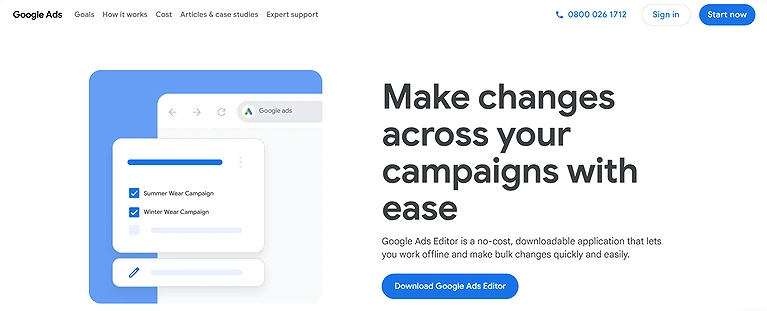
Google Ads Editor Verified Source Image
Key Features
1. Manage multiple campaigns, manage multiple accounts simultaneously with a
user friendly interface.
2. Bulk editing tools for making quick changes across campaigns.
3. Insights and recommendations to improve performance and refine strategy.
4. Offline campaign editing and campaign workflow integration across platforms
like Sheets and Analytics.
5. Strong campaign performance monitoring and reporting tools with ad editing
efficiency.
How to use this Google Ads Editor?
Start by downloading Google Ads Editor and linking your Google Ads accounts. You can then view multiple accounts in one interface, make bulk changes offline, and sync when you’re ready to push updates live. Leverage insights, recommendations, and integrations with Google Sheets, Google Analytics, or Looker Studio to feed your strategy and refine campaign performance. I usually begin with audit-style reviews, fix structural issues, then batch-upload updates to save hours versus manual edits.
Pros
• Great tool for beginners and seasoned PPC advertisers alike with beginners
accessibility.
• Efficient management of multiple campaigns management and ads
management.
• User friendly interface with navigation simplicity.
• Budget friendly with no budget software needed since it’s free.
Cons
• Limited capabilities compared to some campaign management tools (e.g.,
Optmyzr comparison).
• Monitoring limitations and reporting limitations with limited automation.
• Subject to Google policies and Google restrictions (such as bid management
tools acting like black box algorithms or auto apply recommendations you can’t
control).
Use Cases
Google Ads Editor helps advertisers manage large advertising campaigns offline and make bulk updates more efficiently. It is especially useful for editing keywords, adjusting bids, and optimizing multiple campaigns quickly.
Pricing Plans
Google Ads Editor is free — a budget friendly, no budget software alternative to premium tools.
Similar Tools
Adzooma, Optmyzr, Opteo
2. Adpulse
Adpulse makes PPC analysis and optimization intuitive with a visual interface and automated workflows for testing and shopping campaigns. It combines reporting, audits, and automation with integrations like Slack and Zapier. While it slows with large data and lacks strong projections, its ease of use and insights make it effective for improving campaign performance.
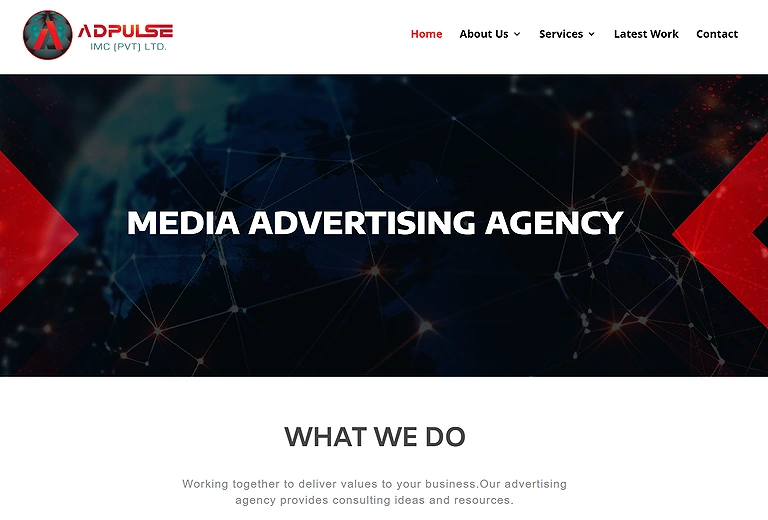
Adpulse official source image
Key Features
1. PPC analysis and campaign optimization with a visual interface.
2. Marketing automation and advertising automation with custom automation
workflows.
3. Powerful reporting with reporting tools and performance reports.
4. Auditing tools and campaign audits to ensure data accuracy.
5. Workflow integrations with Slack, Microsoft Teams, and Zapier.
6. Valuable for managing and optimizing AI-driven social media
advertising campaigns.
How to use this Adpulse?
To use Adpulse, connect your Google Ads account and select the campaigns you want to analyze; use the visual interface to build custom automation workflows, run automatic testing, and review performance reports. Leverage reporting tools and auditing tools to understand campaign health, and set up workflow integrations with Slack, Microsoft Teams, or Zapier to keep your team updated on key insights.
Pros
• User friendly interface that eases adoption for teams.
• Actionable insights that speed up decision-making.
• Time saving tools that reduce manual labor.
• Strong PPC analysis and audit capabilities.
Cons
• Slow performance on large campaign datasets.
• Limited support for Performance Max/PMax campaigns.
• Weak spend projection capabilities for budget management.
Use Cases
Adpulse is useful for monitoring advertising campaign performance and analyzing engagement trends. Marketers can use it to improve ad strategies and make data-driven optimization decisions.
Pricing Plans
Adpulse pricing starts at around $25/month for basic access, with tiered plans for larger account needs and advanced features depending on your PPC campaign management scale and integrations.
Similar Tools
Skai, Adzooma, TrueClicks
3. Adzooma
Adzooma is a user-friendly AI tool for Google Ads, ideal for small teams and solo advertisers. It offers PPC optimization, automation, and solid reporting, bidding, and budget controls. A free plan helps you start, while paid plans add insights. Despite slower data refresh and limited automation, it’s reliable for everyday campaign management.Even Adzooma’s unified dashboard is a great starting point, especially when you use it to implement the high-volume terms discovered in your AI keyword research sessions
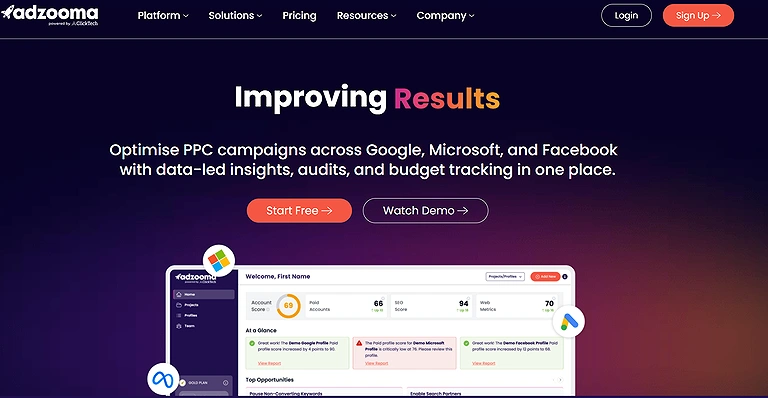
Adzooma Official Source
Key Features
1. PPC analysis with strong reporting capabilities.
2. Bidding management with effective bidding tools.
3. Budget management and budget control insights.
4. Optimization features for Google Ads tools like RSAs and Performance Max
campaigns.
5. Free plan option alongside a paid plan with expanded features.
6. Can also complement AI-powered email marketing workflows by improving
campaign automation and audience targeting.
How to use this Adzooma ?
To use Adzooma, sign up and connect your Google Ads account, explore the free plan option to examine PPC analysis and reporting tools, then upgrade to the paid plan when you need deeper budget management and bidding management; use the dashboard to monitor campaign reports, optimize RSAs or PMax campaigns, and balance your advertising budgets.
Pros
• User friendly platform ideal for small businesses and beginners.
• Free plan option allows getting started at zero cost.
• Decent capabilities for core PPC tools.
• Strong reporting tools and clear campaign reports.
Cons
• Limited support for Performance Max/PMax campaigns and advanced
automation.
• Longer 12 hours refresh cycle, not a real time refresh cycle.
• No integrations with tools like Slack, Microsoft Teams, or Zapier.
Use Cases
Adzooma simplifies PPC campaign management through automation and optimization suggestions. It helps businesses save time while improving advertising performance across campaigns.
Pricing Plans
Adzooma’s pricing plan starts with a free plan option, and the paid plan begins around $99/month, with tiers based on features and campaign needs.
Similar Tools
Optmyzr, Opteo, Google Ads Editor
4. Adalysis
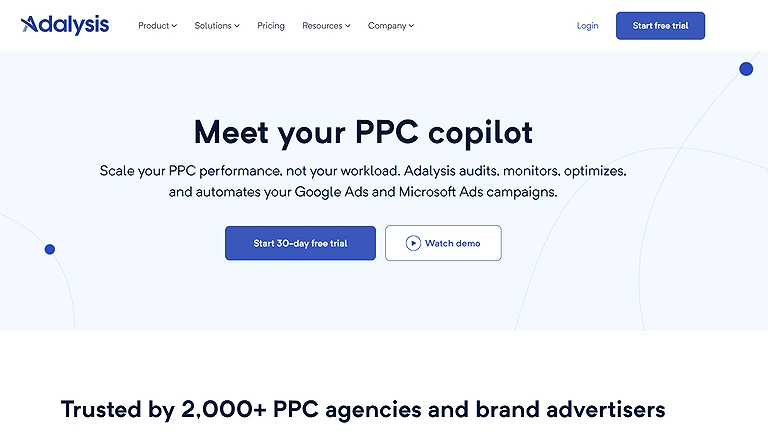
Adalysis is a PPC management tool that combines automated audits, health checks, and campaign optimization for Google Ads and Bing. Its dashboard unifies reporting, budgeting, and bidding for easier monitoring. While automation and integrations are limited, its quick onboarding, ad testing, and issue detection make it a dependable option for improving campaign performance.
Adalysis
Key Features
1. Automated PPC audits with continuous health checks.
2. Unified auditing tools and reporting tools for comprehensive oversight.
3. Budgeting tools and bid management support.
4. Performance reports with actionable optimization insights.
5. Account monitoring and periodic campaign checks for ongoing optimization.
How to use this Adalysis ?
To use Adalysis, connect your Google Ads campaigns (and optionally Bing search engine accounts), set up your account monitoring, and schedule automated PPC audits to regularly check campaign health; review performance reports and optimization insights to refine budget management and bid management, and use the auditing tools to identify inefficiencies.
Pros
• Advertisers and marketers get clear valuable insights into performance.
• Fast and intuitive onboarding that reduces setup friction.
• Combines auditing and reporting tools in one place.
• Automated ad testing that highlights underperformance quickly.
Cons
• Limited automation support and basic rule based automation.
• Struggles with Performance Max and value based bidding strategies.
• No integrations with Slack, Microsoft Teams, or Zapier for workflow automation.
Use Cases
Adalysis helps advertisers audit Google Ads accounts and identify campaign weaknesses. It is widely used for A/B testing, performance analysis, and optimization improvements.
Pricing Plans
Adalysis pricing generally starts at around $149/month with options based on ad spend and account volume, reflecting its focus on providing deep campaign optimization for serious advertisers.For the latest pricing plans you can visit there official site.
Similar Tools
TrueClicks, Optmyzr, Opteo
5. Optmyzr
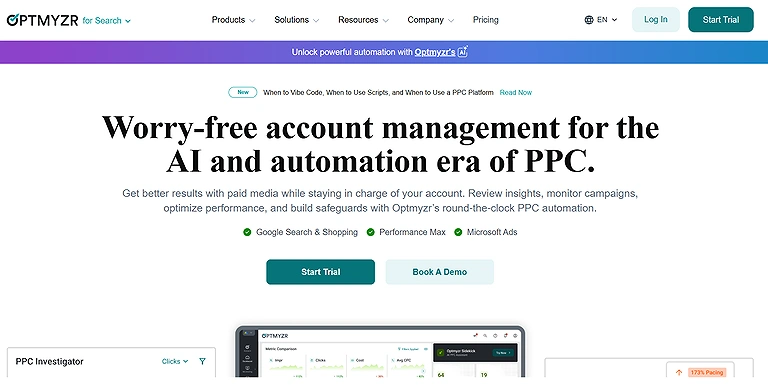
Optmyzr is a powerful Google Ads tool for marketers and agencies, offering advanced automation, real-time data, and deep insights and they also allow you to manage your business smarter by aligning your cross-channel ad spend with your real-world profit margins. It supports search, shopping, and Performance Max campaigns with smart recommendations, RSAs, and bidding strategies. Though complex for beginners and lacking a free plan, it’s ideal for serious PPC optimization and scaling campaigns efficiently.
Optmyzr Official
Key Features
1. Detailed insights with Google Ads insights and competitor insights.
2. Robust automation tools and advanced automation suite with anomaly
monitoring.
3. Reporting tools and bidding management for full campaign analysis.
4. Support for shopping campaigns, Performance Max campaigns, and RSAs.
5. Real time data refresh and custom built automations for faster optimizatio
How to use this Optmyzr ?
To get started with Optmyzr, sign up for the free trial and connect your Google Ads campaigns; explore its reporting tools, set up custom built automations, and leverage real time data refresh to audit and optimize performance. Use the recommendations engine for bidding and budget tweaks, and take advantage of anomaly monitoring to protect your accounts while scaling across campaigns.
Pros
• Powerful campaign optimization for multiple campaigns management.
• Time saving automation that supports strategic work over manual tasks.
• Strong reporting capabilities with actionable insights.
• Suitable for enterprise level Google Ads management and agencies alike.
Cons
• Platform complexity can be overwhelming for beginners.
• No free version — only a free trial with custom pricing afterward.
• Some advanced features may require steeper learning for PPC managers
workflow.
Use Cases
Optmyzr is designed to automate PPC optimization workflows and improve campaign efficiency. Agencies and marketers often use it to manage large-scale advertising operations more effectively.
Pricing Plans
Optmyzr uses custom pricing based on ad spend and account needs rather than a fixed plan, often tailored for enterprise PPC tools, agencies, and teams managing large-scale Google Ads campaigns.
Similar Tools
Opteo, Adzooma, Skai
6. Opteo
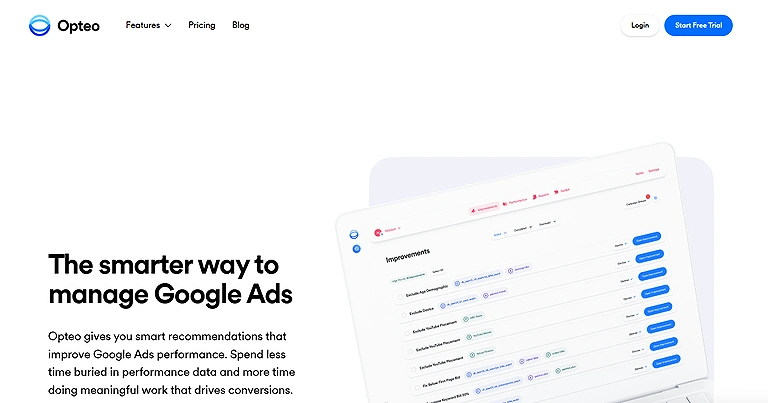
Opteo is a user-friendly Google Ads tool for SMBs, offering automated optimization and performance recommendations without complexity. It provides strong reporting, monitoring, and budget control with AI-driven insights. While it has a 12-hour data refresh and limited automation, its simplicity, time-saving features, and support make it ideal for everyday PPC management.
Opteo Official Source Image
Key Features
1. Performance recommendations powered by AI recommendations engine.
2. Continuous monitoring with monitoring tools.
3. Reporting tools for visibility into campaign performance.
4. Bidding management support.
5. Budget management and basic budget forecasting.
6. Friendly user interface with simple Google Ads interface comparison.
How to use this tool ?
To use Opteo, connect your Google Ads accounts, let the platform pull in account performance data for analysis, review automated monitoring alerts, and then act on actionable recommendations to adjust bidding and budget settings; focus on trend and seasonality insights to keep campaigns optimized.
Pros
• Easy to understand UI perfect for SMBs.
• Actionable recommendations that save time.
• Responsive customer support enhances the experience.
Cons
• Limited automation relative to more advanced platforms.
• 12 hour refresh cycle not real time.
• Weak spend projection capabilities and integration limitations.
Use Cases
Opteo provides AI-powered recommendations that help advertisers improve Google Ads performance. It is useful for identifying wasted ad spend and uncovering optimization opportunities.
Pricing Plans
Opteo pricing plans generally start around $129/month for co
Similar Tools
Optmyzr, Adalysis, Adzooma
7. TrueClicks
TrueClicks is a cloud-based PPC tool that simplifies campaign creation, management, and auditing in one platform and its also acts as an automated auditor to prevent wasted spend—a level of precision and oversight similar to the research tools used in our AI guide for law students. It offers budget pacing, monitoring, and strong integrations with tools like Looker Studio and Google Sheets for better reporting. While automation and advanced optimization are limited, its free plan and ease of use make it a practical PPC management solution.
Key Features
1. Unified portal for campaign creation, launch, and management.
2. Built in auditing tools and monitoring tools.
3. Budget pacing tools and budget management dashboards.
4. Marketing data integrations with Looker Studio, Excel, Google Sheets, Power
BI, and Tableau.
5. Strong advertising analytics tools and marketing reporting tools.
How to use this TrueClicks ?
To use TrueClicks, sign up and connect your Google Ads account to its unified portal, set up your budget pacing tools, and configure monitoring tools to keep a pulse on performance; integrate with your existing analytics stack (Looker Studio, Sheets, etc.) to enrich your insights, then rely on its auditing tools and actionable suggestions to refine your campaigns progressively.
Pros
• Free forever plan with a monthly ad spend limit ideal for scaling.
• User friendly interface reduces learning friction.
• Automation of routine tasks streamlines workflow.
• Actionable suggestions help drive campaign performance improvement.
Cons
• Scripts support limitations restrict advanced automation.
• Native reporting limitations compared to deeper reporting engines.
• Limited optimization capabilities for Performance Max campaigns and value
based bidding.
Use Cases
TrueClicks helps marketers identify hidden issues inside Google Ads accounts and maintain campaign quality. It is especially useful for reducing optimization errors and improving ad account health.
Pricing Plans
TrueClicks is known for offering a free forever plan up to a certain monthly ad spend limit, with paid tiers unlocking deeper features and support as your PPC management needs grow.
Similar Tools
Adalysis, Opteo, Optmyzr
8. Skai
Skai is an enterprise PPC platform for large-scale, multi-channel campaigns, combining automation, auditing, and campaign management in one system. It offers strong reporting, RSA support, and integrations like Slack and Zapier for seamless workflows. While powerful and data-driven, it’s expensive, complex, and better suited for advanced teams managing high-volume campaigns.
Key Features
1. Enterprise level PPC campaign management across channels.
2. Built in marketing automation and auditing features.
3. Responsive Search Ads (RSA) capabilities.
4. Deep reporting capabilities with reporting tools and campaign reporting.
5. Broad integrations with Slack, Microsoft Teams, and Zapier.
How to use this Skai
To use Skai, start by connecting your advertising accounts, define your multi channel campaigns, and set up audits and automation features; leverage reporting tools for deep campaign reporting, and link with Slack, Microsoft Teams, or Zapier to embed insights into daily workflows and keep enterprise teams aligned on optimization priorities.
Pros
• Designed for enterprises with large scale PPC campaigns.
• User friendly interface despite platform depth.
• Responsive customer support enhances the experience.
• Actionable insights and robust analytics increase performance clarity.
Cons
• Expensive pricing with a complicated pricing and free trial structure.
• Script support limitations, especially for Performance Max campaigns.
• Can feel heavy for smaller teams or simpler workflows.
Use Cases
Skai supports enterprise-level advertising management across multiple channels and platforms. Large brands use it to analyze campaign performance and manage cross-platform advertising strategies.
Pricing Plans
Skai typically offers custom enterprise pricing often starting high due to its comprehensive feature set, and while there may be a free trial structure, detailed quotes depend on your ad spend and the channels you want to manage.
Similar Tools
Adpulse, Optmyzr, Adzooma
9. 30chars.com
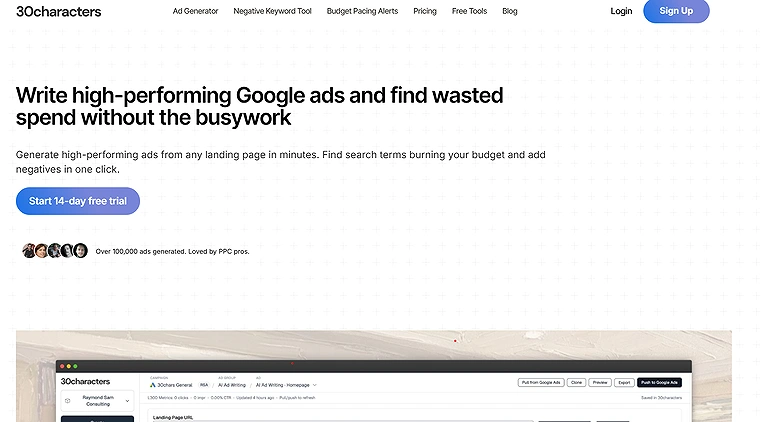
30characters is a simple yet effective AI tool focused on Google Ads text optimization. It ensures ad copy fits strict character limits, helping avoid truncation and lost impressions.It’s especially useful for crafting high-performing headlines and descriptions, balancing messaging with ad requirements for better efficiency.
While it doesn’t handle bidding or reporting, its focused role in ad creation makes it a valuable addition to any Google Ads workflow.For ad copy that converts, 30chars.com offers specialized templates that follow the same high-conversion logic found in the top free AI writing platforms.
Official Source Screen Shot
Key Features
1. Google Ads text optimization for compliance with character limits.
2. Tailored suggestions for high performing headlines.
3. Efficient ad copy optimization for ad descriptions and messaging.
4. Fast ad crafting that enhances campaign messaging.
5. Lightweight AI marketing tools experience focused on one task.
How to use this 30characters ?
To use 30characters, sign up on their site, input your Google Ads copy into the dashboard, and adjust your headlines and descriptions as the tool suggests to fit within character limits and optimize your messaging before publishing ads.
Pros
• Affordable tool with straightforward pricing around $6 per month.
• User friendly tool that requires no steep learning curve.
• Improves performance optimization through better ad headlines.
• Great for PPC advertisers focused on messaging quality.
Cons
• Limited to text optimization and not broader campaign management.
• Doesn’t assist with bidding, budget, or automation strategies.
• Too specialized if you need full suite tools for Google Ads management.
Use Cases
30chars.com helps marketers create, test, and refine Google Ads headlines more efficiently. It is particularly useful for improving ad copy quality and click-through rates.
Pricing Plans
30characters pricing is straightforward and affordable tool oriented, typically around $6 per month, making it a low cost add on to larger AI marketing tools and digital advertising tools you may already be using.
Similar Tools
Google Ads Editor, Adzooma, Opteo
10. PPCSpyBot
I stumbled on PPCSpyBot, an AI tool built to bring competitive intelligence into your Google Ads and search campaigns, and what really won me over was how it turns competitor research — from competitor Google Ads and search strategies — into actionable campaign insights by tracking keywords, ad copy, and landing pages to uncover new opportunities invisible in typical dashboards. This digital advertising tools gem excels at pattern identification and opportunity detection, giving PPC advertisers a clearer view of competitor moves and boosting Google Ads optimization and ad performance monitoring.
Key Features
1. Keyword tracking for competitor ads
2. Ad copy tracking and landing page tracking
3. Pattern identification for strategic insights
4. PPCSpyBot can help creators optimize campaigns for affiliate marketing and
other mobile income strategies.
How to use this PPCSpyBot?
Sign up for a free trial, connect your account, then enter competitor domains to start ad monitoring and gather insights.
Pros
• Deep competitive data analysis for smarter decisions
• Improves marketing efficiency and optimization
• Simple AI analytics interface
Cons
• Narrow focus only on competitor data
• Doesn’t handle bidding or budget automation
Use Cases
PPCSpyBot allows advertisers to monitor competitor advertising strategies and keyword activities. It helps marketers discover profitable campaign trends and competitive insights.
Pricing Plans
Plans start around $39 per month, with trial options to test the tool.
Similar Tools
Skai, Adpulse, Adalysis
11. Blobr.io
Blobr.io is a newer AI tool for Google Ads built around “AI twins” that mimic expert decision-making to run continuous campaign audits. It excels at spotting trends, detecting wasted spend, and generating weekly action plans with bulk edits—saving hours of manual work. Features like negative keyword suggestions and bid optimization directly improve PPC performance. However, as a newer platform, it still needs improvement in interface depth, automation, and reporting capabilities.
Key Features
1. Continuous 24/7 auditing with AI powered auditing
2. Automated trend spotting and wasted spend detection
3. Bulk file exports for fast campaign edits
How to use this Blobr.io?
Sign up for the free trial, connect your Google Ads accounts, let the AI twins audit your campaigns, review weekly action plans, and export bulk edit files to apply optimizations quickly.
Pros
• Time savings that reduce manual workflow
• Expert level optimizations without hiring consultants
• Strong keyword recommendations and search term quality checks
• Purpose built AI focus rather than generic AI tool comparison
• Analyze performance swings, providing the same level of deep insight
you'd find in our guide on trending AI tools for data analysis.
Cons
• Early stage with limited advanced automation
• Dashboard depth not as rich as mature tools
• Reporting features could be stronger
Use Cases
Blobr.io helps businesses automate workflows and connect advertising-related tools together. It is useful for improving campaign management efficiency and reducing repetitive manual tasks.
Pricing Plans
Blobr.io uses tiered pricing based on monthly ad spend, with entry options after the free trial and scaling plans for higher budgets.
Comparable Advertising Platforms
Zapier, Make, Optmyzr
12. LeadUp
LeadUp AI-powered agency platform stands out for combining Google Ads auditing with call analysis to improve campaign efficiency. It automates tasks like search term processing, garbage keyword detection, and cost control, reducing manual workload.It also adds value with call lead quality checks, helping identify time-wasting leads and even dispute invalid charges from Google Local Services calls.
LeadUp Official Source Image
Key Features
1. Google Ads auditing with automated auditing
2. Call analysis for lead quality lead identification
3. Keyword automation for large term sets
4. Garbage keyword detection and cost control
5. Call review automation to handle quality calls
6. AI automation that reduces busywork
How to use this LeadUp ?
Sign up, connect ad accounts and call data, configure keyword automation and auditing rules, then let the platform run search term auditing and call analysis to guide optimization.
Pros
• Strong campaign optimization support
• Busywork reduction through task automation
• Helps with serious ad spend management
• Good for agency scale management
Cons
• Learning curve for new users
• Monthly cost around $40 per month can be high for small teams
Use Cases
LeadUp supports lead generation and customer engagement activities for advertising campaigns. Businesses use it to improve conversion-focused marketing strategies and customer interactions.
Pricing Plans
Pricing typically starts at around $40 per month with options scaling for higher volumes.
Similar Tools
HubSpot, ActiveCampaign, Adzooma
FAQs: AI Tools for Google Ads
1. What are AI tools for Google Ads?
AI tools for Google Ads are software solutions that use artificial intelligence to automate campaign management, bidding, optimization, ad copy, monitoring, reporting, and auditing to improve advertising performance and efficiency.
2. Which AI tools are best for bulk editing and offline campaign management?
Google Ads Editor is ideal for advertisers managing multiple campaigns and accounts offline, offering robust bulk editing capabilities, quick changes, and campaign performance monitoring.
3. How can I automate PPC audits and health checks?
Adalysis automates PPC audits, account health checks, and campaign optimization, providing actionable insights and automated ad testing to streamline Google Ads management.
4. Which tool is best for enterprise-level campaign management across multiple channels?
Skai offers a cloud-based platform for enterprises, providing multi-channel PPC campaign management, automation, audits, and robust reporting for large-scale campaigns.
5. Are there AI tools that optimize Google Ads ad copy automatically?
Yes, 30characters is a simple AI tool focused on Google Ads text optimization, ensuring ad headlines and descriptions fit character limits and maximize ad performance.
6. Which AI tools help monitor competitor campaigns and find new opportunities?
PPCSpyBot provides competitive intelligence, tracking competitor Google Ads, keywords, ad copy, and landing pages to uncover trends and opportunities for advertisers.
7. What platforms support automation for campaign bidding and budget management?
Acquisio provides AI-driven bid and budget management, helping marketers, agencies, and SMBs scale PPC offerings across Google, Meta, and Microsoft platforms.
8. Which tools are beginner-friendly for small to medium businesses?
Opteo and Adzooma offer user-friendly interfaces with clear performance recommendations, automated monitoring, and reporting suitable for SMBs with limited Google Ads needs.
9. Can AI tools automate call analysis for lead quality?
Yes, platforms like the AI powered agency platform automate call review, identify quality leads, flag time-wasters, and help dispute invalid charges, saving agencies time and improving campaign efficiency.
10. Do these AI tools integrate with other software like Slack or Zapier?
Many tools like Optmyzr, Skai, and Adpulse offer integrations with Slack, Microsoft Teams, and Zapier, while some like Adalysis and Acquisio have limited or no integration support.
Conclusion
AI tools for Google Ads significantly streamline campaign management, optimization, and reporting across advertisers of all sizes. From bulk editing and offline campaign control to automated auditing, bid management, and ad copy optimization, these tools save time, reduce manual errors, and enhance campaign performance. Whether you're a small business, agency, or enterprise team, selecting the right AI tool based on features, automation, integration capabilities, and pricing ensures more efficient advertising workflows, actionable insights, and measurable ROI in your Google Ads campaigns.Mastering Google Ads is the fastest way to scale a business in 2026. If you're ready to use these advertising skills to launch your own services, check out our guide on how to earn money on mobile using AI tools to turn your PPC expertise into a profitable freelance career.