.webp)
How AI Tools Translate Languages Quickly with Accurate Results
Language translation was once slow and human-dependent, often inconsistent. AI translation tools now provide faster, more accurate, and scalable results. As noted in the Currents 2026 report, organizations use AI to improve efficiency and global communication. When combined with cloud CRM systems, these tools enhance customer engagement and user experience, help businesses overcome language barriers, and support global growth. In 2026, breaking language barriers is no longer a manual chore; it is about finding the right AI tools for transcription, translation, and trend analysis, enabling journalists and businesses to communicate across borders in real time.

 Updated: April 28, 2026 | 13 min read
 | Tool Name | Best For | Pricing | Ease |
| Google Translate | Fast general translation | Free | Beginner |
| Amazon Translate | Scalable cloud translation API | Pay-as-you-go | Intermediate |
| Smartcat | Translation workflow & collaboration | Free + Paid | Beginner |
| Smartling | Enterprise localization platform | Paid | Advanced |
| Unbabel | AI + human translation services | Paid | Intermediate |
| Wordly | Real-time speech translation | Paid | Beginner |
| LILT | Adaptive AI translation | Paid | Advanced |
| Phrase | Localization management platform | Paid | Intermediate |
| Bing Microsoft Translator | Multi-language translation | Free | Beginner |
| TextUnited | Professional translation services | Paid | Intermediate |
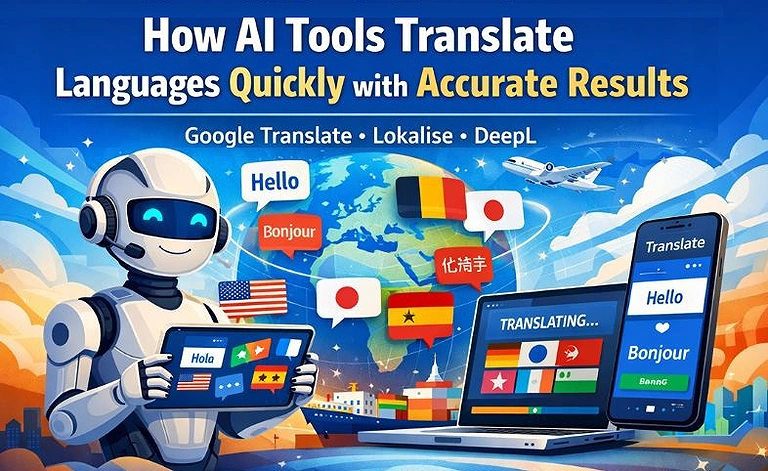
Cover Photo How AI Tools Translate Languages Quickly with Accurate Results
What is an AI translation tool?
An AI translation tool uses artificial intelligence to translate text and translate speech with automatic translation, leveraging machine learning algorithms and natural language processing (NLP) for context understanding, tone detection, and linguistic nuances, delivering accurate, human-like translations that overcome language barriers for real-time translation across digital platforms, industries, and global communication.
What are the benefits of using AI translation tools?
AI translation tools improve efficiency, accuracy, and scalability for businesses by enabling fast, reliable multilingual communication. They reduce translation costs while maintaining consistency in tone, style, and terminology across content. With context-aware translation, businesses deliver relevant messaging to global audiences. These tools handle large content volumes, support seamless platform integration, and enhance workflow productivity, making them essential for global expansion, better user engagement, and faster market reach.
1 Google Translate
Google Translate supports 100+ languages with text, voice, and image translation. It offers real-time results, offline access, and multilingual conversations using neural machine learning for accurate, context-aware translations and improved global communication. While it remains the most popular free option, creators often use it alongside the top free AI writing platforms to ensure their global content remains engaging and grammatically sound.
Notable Features
- Supports translation in 100+ officially available languages
- Real-time text, voice, image, and camera translation
- Offline language packs for travel and remote usage
- Multilingual conversation mode with AI-powered contextual accuracy
How to use Google Translate?
- Enter or paste text into the translation box
- Upload images or use the camera for instant translation
- Use voice input for spoken conversation translations
- Download offline language packs for internet-free access
Strengths
- Completely free for most users and devices
- Fast and easy-to-use interface across platforms
- Accurate neural machine translation for common languages
- Supports text, voice, handwriting, and image translation
Weaknesses
- Less accurate with idioms and complex sentences
- Some regional dialects may translate poorly
- Grammar quality varies between language pairs
- Context understanding still weaker than human translators
Designed For
Students, travelers, businesses, marketers, and creators needing fast multilingual communication, translation, and global audience accessibility.
Things to Consider
- Accuracy may drop in technical or legal translations
- Offline translations offer fewer language capabilities
- Human review is still important for professional content
Cost & Plans
Google Translate is free for general users, while advanced API usage requires paid Google Cloud pricing plans.
Efficient Alternative
DeepL Translator, Microsoft Translator, iTranslate, Reverso
2 Amazon Translate
Amazon Translate uses deep learning to deliver fast, scalable translation for businesses. It supports real-time and batch processing, API integration, custom terminology, and multiple file formats while maintaining tone consistency, context accuracy, and original formatting across large content volumes. Businesses use this batch-translation service to localize large datasets, a strategy often paired with the top trending AI tools for data analysis to gain global market insights.
Notable Features
- Supports translation across 75+ officially available languages
- Real-time and batch translation processing capabilities
- Custom terminology for brand-specific language consistency
- API integration with cloud applications and enterprise systems
How to use Amazon Translate?
- Create an AWS account and access Amazon Translate
- Upload text files or connect applications through APIs
- Configure custom terminology for industry-specific translations
- Run real-time or batch translation for multilingual content
Strengths
- Highly scalable for enterprise-level translation workloads
- Integrates smoothly with AWS cloud services
- Maintains formatting and contextual consistency effectively
- Supports automation for large multilingual datasets
Weaknesses
- Requires AWS knowledge for advanced setup
- Paid pricing may become costly at scale
- Less beginner-friendly than consumer translation apps
- Accuracy can vary with niche technical terminology
Designed For
Businesses, developers, enterprises, and global teams managing multilingual content, applications, customer support, and large-scale localisation projects.
Things to Consider
- AWS ecosystem familiarity improves usability significantly
- Costs depend on translation volume and API usage
- Human editing may still improve professional accuracy
Cost & Plans
Amazon Translate offers pay-as-you-go pricing with limited free-tier access for new AWS users and developers.
Efficient Alternative
DeepL API, Google Cloud Translation, Microsoft Azure Translator, SYSTRAN Translate
3 Smartcat
Smartcat simplifies multilingual content localization through AI-powered translation, collaboration, and workflow automation tools. It supports file, video, and website translation while offering CMS integrations, CAT tools, and linguist sourcing features that help businesses maintain consistent branding, improve productivity, and manage multilingual projects efficiently across global digital platforms.
Notable Features
- Supports translation in 280+ officially available languages
- AI-powered translation with collaborative CAT tools
- Website, video, and document localization support
- CMS integrations for automated multilingual workflows
How to use Smartcat?
- Upload files, videos, or website content to Smartcat
- Choose AI translation or hire professional linguists
- Collaborate with teams using built-in CAT tools
- Export translated content while preserving original formatting
Strengths
- Excellent collaboration tools for translation teams
- Supports multiple content formats and platforms
- Combines AI translation with human editing workflows
- Efficient automation for large localization projects
Weaknesses
- Advanced features may require learning time
- Premium plans can be expensive for small teams
- AI translations still require manual proofreading
- Interface may feel complex for beginners initially
Designed For
Businesses, agencies, localization teams, and creators managing multilingual websites, videos, documents, and collaborative translation workflows globally.
Things to Consider
- Human review improves final translation quality significantly
- Advanced integrations may require technical setup knowledge
- Pricing increases with larger team collaboration needs
Cost & Plans
Smartcat offers a limited free plan, while premium subscriptions unlock advanced AI, collaboration, and automation features.
Efficient Alternative
Phrase, Lokalise, Memsource, Crowdin
Smartcat Official source image
4 Smartling
Smartling is a cloud-based translation management platform that combines AI automation with human review for scalable localization. It supports multilingual SEO, workflow automation, video translation, and quality monitoring while helping businesses maintain brand consistency, improve translation accuracy, and streamline global content delivery across websites, apps, and marketing campaigns.
Notable Features
- Supports translation in 150+ officially available languages
- AI-powered workflow automation with human review options
- Multilingual SEO optimization for global content visibility
- Video, website, and app localization management tools
How to use Smartling?
- Upload website, app, or marketing content to Smartling
- Configure translation workflows and automation settings
- Assign AI or human translators for localization tasks
- Review, approve, and publish multilingual content efficiently
Strengths
- Strong workflow automation for enterprise localization
- Excellent quality monitoring and translation consistency tools
- Supports multilingual SEO and global marketing campaigns
- Integrates with major CMS and business platforms
Weaknesses
- Higher pricing compared to basic translation tools
- Advanced setup may require technical expertise
- Smaller businesses may not need all enterprise features
- Learning curve for first-time localization managers
Designed For
Enterprises, marketing teams, developers, and global businesses managing multilingual websites, apps, videos, and localized customer experiences.
Things to Consider
- Best suited for medium-to-large localization projects
- Human review still improves sensitive content accuracy
- Integration setup may require dedicated technical support
Cost & Plans
Smartling provides customized enterprise pricing with scalable plans based on translation volume, integrations, and localization requirements.
Efficient Alternative
Lokalise, Phrase, Transifex, Smartcat
5 Mirai Translate
Mirai Translate is a secure neural machine translation platform designed for enterprise communication and document localization. It supports speech translation, cloud-based file processing, APIs, and collaboration tools while maintaining strong security compliance, translation consistency, and efficient multilingual workflows for businesses handling sensitive corporate content and international communication tasks.
Notable Features
- Supports translation in 12 officially available languages
- ISO 27001 and ISO 27017 security compliance
- Speech, document, and cloud-based file translation support
- Translation memory and custom user dictionary tools
How to use Mirai Translate?
- Upload documents or input text into the platform
- Configure translation settings and custom dictionaries
- Use APIs for automated speech or document translation
- Review and share translated content with team members
Strengths
- Strong enterprise-grade security and compliance standards
- Reliable translation consistency with memory tools
- Supports speech and document translation workflows
- Team collaboration features improve localization management
Weaknesses
- Limited language support compared to competitors
- Primarily designed for enterprise rather than casual users
- Advanced features may require technical integration setup
- Paid plans can be expensive for small businesses
Designed For
Enterprises, corporate teams, and organizations needing secure multilingual communication, document translation, and compliant localization workflows.
Things to Consider
- Limited language availability may restrict global usage
- Best performance achieved with enterprise integration setup
- Human editing may still improve nuanced translations
Cost & Plans
Mirai Translate offers enterprise-focused paid plans with pricing based on translation volume, API usage, and business requirements.
Efficient Alternative
SYSTRAN Translate, DeepL Pro, Smartling, Amazon Translate
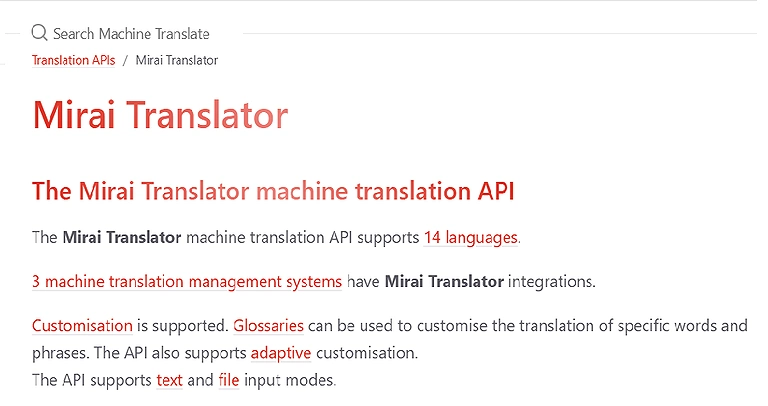
Mirai Translate Official source image
6 Wordly
Wordly is an AI-powered live translation and captioning platform built for meetings, webinars, and events. It provides real-time multilingual captions, two-way translation, and subtitle generation while integrating with platforms like Zoom, Teams, and Webex to improve accessibility, audience engagement, and communication for hybrid and in-person global events.
Notable Features
- Supports translation in 60+ officially available languages
- Real-time live captioning and two-way translation
- Integrates with Zoom, Teams, and Webex platforms
- Generates translated subtitles in SRT and WebVTT formats
How to use Wordly?
- Connect Wordly with your meeting or event platform
- Select preferred languages for captions and translation
- Start live sessions for real-time multilingual communication
- Export translated subtitles and transcripts after events
Strengths
- Excellent for live multilingual meetings and conferences
- Improves accessibility for global event audiences
- Easy integration with major virtual meeting platforms
- Real-time translations reduce interpreter dependency
Weaknesses
- Accuracy may vary with accents or noisy environments
- Limited customization compared to enterprise localization tools
- Requires stable internet for smooth live translation
- Advanced plans may be costly for small organizations
Designed For
Event organizers, businesses, educators, and conference teams needing live multilingual captions, translations, and accessible hybrid communication experiences.
Things to Consider
- Audio quality directly impacts translation accuracy
- Internet stability is essential for live sessions
- Human interpreters may still help in sensitive discussions
Cost & Plans
Wordly offers custom pricing plans based on event size, translation usage, integrations, and live captioning requirements.
Efficient Alternative
Interprefy, KUDO, Microsoft Translator, Verbit
7 LILT
LILT is an AI-powered translation platform that combines contextual machine translation with human review for adaptive localization. Its continuous learning engine improves translation quality over time while supporting workflow automation, enterprise security, and brand-specific terminology management for businesses handling multilingual content across global communication channels and digital platforms.
Notable Features
- Supports translation in 100+ officially available languages
- Contextual AI engine with adaptive machine learning
- Human review combined with automated translation workflows
- Enterprise-grade security and privacy-focused translation management
How to use LILT?
- Upload documents or connect content management systems
- Configure brand terminology and translation preferences
- Use AI translation with optional human review workflows
- Monitor, edit, and export multilingual localized content
Strengths
- Adaptive AI improves accuracy through continuous learning
- Strong enterprise security and privacy protections
- Combines machine efficiency with human translation quality
- Excellent workflow automation for localization teams
Weaknesses
- Premium pricing may not suit small businesses
- Advanced setup can require technical expertise
- Human review still necessary for sensitive content
- Learning curve for first-time enterprise users
Designed For
Enterprises, localization teams, and global businesses requiring secure, adaptive, and brand-consistent multilingual translation management workflows.
Things to Consider
- Best performance achieved with continuous platform training
- Human oversight improves nuanced translation accuracy
- Enterprise integrations may require technical configuration
Cost & Plans
LILT offers customized enterprise pricing with scalable plans based on translation volume, integrations, and workflow requirements.
Efficient Alternative
Smartling, Phrase, DeepL Pro, Transifex
LILT Official source image
8 Phrase
Phrase is an AI-powered localisation and translation management platform that centralises multilingual workflows, translation memories, and terminology management. It supports automation, team collaboration, and multiple integrations, helping businesses and localisation teams streamline scalable content translation while maintaining consistency, efficiency, and brand accuracy across websites, apps, and marketing materials.
Notable Features
- Supports translation in 200+ officially available languages
- Centralised translation memory and terminology management
- 50+ integrations including Adobe and CMS platforms
- AI-powered automation with collaborative localisation workflows
How to use Phrase?
- Connect Phrase with your CMS or design platform
- Upload multilingual content for translation management
- Configure translation memories and terminology databases
- Collaborate with teams and export localised content
Strengths
- Excellent workflow automation for localisation projects
- Strong integration support across business platforms
- Improves translation consistency with memory tools
- Scalable collaboration for teams and language providers
Weaknesses
- Advanced features may require on boarding time
- Pricing can be expensive for smaller businesses
- Some integrations need technical configuration support
- AI translations still benefit from human review
Designed For
Localization teams, enterprises, agencies, and developers managing multilingual websites, apps, documents, and collaborative translation workflows efficiently.
Things to Consider
- Human editing improves final translation quality
- Integration setup may require technical expertise
- Premium plans unlock most advanced automation tools
Cost & Plans
Phrase offers customizable paid plans with pricing based on users, integrations, workflow automation, and translation management features.
Efficient Alternative
Smartling, Lokalise, Crowdin, Memsource
9 Bing Microsoft Translator
Microsoft Translator is an AI-powered translation service supporting text, speech, and image translation across 100+ languages. It integrates seamlessly with Microsoft products while offering real-time conversations, offline translation, enterprise-grade security, API access, and workflow automation for businesses, developers, educators, and multilingual communication across devices and global digital platforms.
Notable Features
- Supports translation in 100+ officially available languages
- Real-time text, speech, and image translation support
- API and SDK integration for scalable applications
- Offline translation with enterprise-grade privacy compliance
How to use Microsoft Translator?
- Install the app or access Microsoft Translator online
- Enter text, speech, or upload images for translation
- Use conversation mode for multilingual communication
- Integrate APIs or SDKs into business applications
Strengths
- Strong integration with Microsoft ecosystem tools
- Supports real-time multilingual conversations effectively
- Enterprise-level security and compliance protections
- Free tier suitable for light-to-medium usage
Weaknesses
- Translation accuracy varies between language pairs
- Some advanced enterprise features require paid plans
- Offline mode supports limited functionality and languages
- Interface may feel complex for new enterprise users
Designed For
Businesses, developers, educators, travelers, and teams requiring secure multilingual communication, translation automation, and scalable language integration solutions.
Things to Consider
- API costs increase with high translation volumes
- Human review improves professional translation quality
- Best experience achieved within Microsoft ecosystem tools
Cost & Plans
Microsoft Translator offers a free tier up to 2 million characters, with scalable paid enterprise plans available.
Efficient Alternative
Google Translate, DeepL Translator, Amazon Translate, SYSTRAN Translate
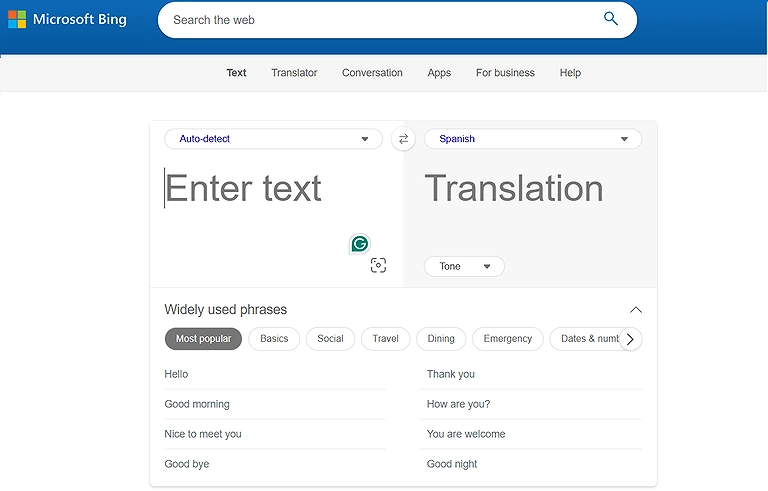
Bing Microsoft Translator Official Source image
10 TextUnited
TextUnited is an AI-powered translation platform that blends machine translation with human review to deliver accurate, consistent, and brand-aligned localization. It uses Translation Memory, glossaries, and style guides to streamline workflows while reducing costs and improving turnaround times for businesses managing multilingual content across global markets and digital platforms.
Notable Features
- Supports translation in 50+ officially available languages
- Translation Memory with glossary and style guide support
- Browser-based editor for project and content management
- Human-in-the-loop review for improved accuracy and quality
How to use TextUnited?
- Create a project in the browser-based editor
- Upload documents or paste content for translation
- Select target languages and assign workflows
- Review, track changes, and finalize translated content
Strengths
- Strong focus on brand consistency and quality control
- Easy-to-use browser-based interface for teams
- Combines AI translation with human editing workflows
- Improves efficiency through automation and reuse of translations
Weaknesses
- Limited language support compared to larger platforms
- Advanced enterprise features may increase cost
- Requires human review for best accuracy results
- Not as feature-rich for complex developer integrations
Designed For
Businesses, marketing teams, and localization managers needing structured, consistent, and collaborative translation workflows with quality control.
Things to Consider
- Human review significantly improves final output quality
- Best suited for structured content rather than real-time translation
- Pricing may vary based on project size and usage
Cost & Plans
TextUnited offers subscription-based pricing with scalable plans depending on users, translation volume, and enterprise workflow needs.
Efficient Alternative
Phrase, Smartling, Lokalise, Transifex
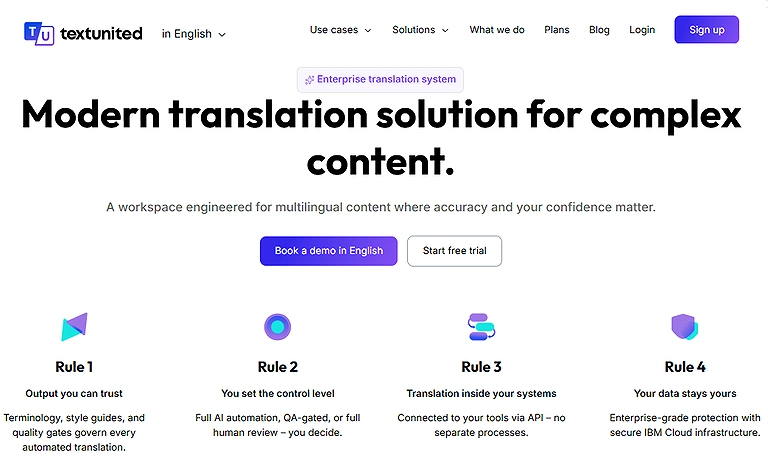
TextUnited Official source image
FAQ
1. What are AI translation tools?
AI translation tools use AI, machine learning, and NLP to deliver fast, accurate, context-aware multilingual translations for global communication.
2. How accurate are AI translations compared to human translators?
Modern AI translation tools provide accurate, human-like translations using context-aware algorithms and industry terminology, though creative writing often needs human review.
3. How many languages can AI translators handle?
Most AI platforms support 30–100+ languages, including tools like Google Translate and Microsoft Translator, enabling text, voice, and image translation globally.
4. How do AI tools improve translation efficiency?
AI translation tools accelerate workflows through bulk translation, real-time adjustments, and Translation Memory, reducing costs, turnaround time, and repetitive manual tasks.
5. Are AI translation tools suitable for businesses?
Yes, AI translators ensure brand consistency, accurate localisation, and multi-platform support, making them ideal for global expansion, marketing content, and cross-border communication.
Conclusion
AI translation tools have transformed global communication by enabling fast, accurate, and scalable language translation for businesses. Platforms like Google Translate, Amazon Translate, and localization tools such as Lokalise, Smartling, and TextUnited use AI and machine learning to deliver near-human-like results in real time. They support translation memory, tone detection, terminology control, and quality assurance to ensure consistency and reduce costs. With multi-language support and seamless integrations, they streamline workflows across websites, apps, and marketing. These tools help businesses break language barriers, improve user experience, maintain brand consistency, and accelerate global expansion in competitive multilingual markets. These tools are also helpful when you plan your trip to break the language barrier.