.webp)
AI Tools for Mathematicians That Solve Complex Problems Instantly
It is fascinating to see how artificial intelligence is transforming the way complex problems are solved. From symbolic algebra to numerical analysis, modern AI tools allow users to instantly compute equations, visualize graphs, and explain solutions step-by-step. Students and professionals alike can save time, improve conceptual understanding, and gain deeper insights by leveraging these technologies.
This article reviews 12 powerful AI tools for answering questions accurately while highlighting their limitations and pricing. These tools improve learning by combining computation, visualization, and explanation to simplify complex mathematical problems. As educational technology advances, math solvers are becoming as essential as AI tools that help university students with research and advanced learning tasks.

 Updated: May 01, 2026 | 12 min read
 | Tool Name | Best For | Pricing | Ease |
| Symbolab | Step-by-step math solutions | Free + Paid | Beginner |
| Microsoft Math Solver | Solving equations via camera/input | Free | Beginner |
| GeoGebra | Graphing & interactive math visualization | Free | Beginner |
| Mathway | Instant math problem solving | Free + Paid | Beginner |
| SageMath | Open-source mathematics software | Free | Advanced |
| Maple | Symbolic & numeric computations | Paid | Advanced |
| MATLAB | Engineering & numerical computing | Paid | Advanced |
| Desmos | Graphing calculator & visualization | Free | Beginner |
| Photomath | Camera-based math solving | Free + Paid | Beginner |
| Mathpix | OCR-based math recognition & solving | Free + Paid | Intermediate |

Cover Photo AI Tools for Mathematicians That Solve Complex Problems Instantly
1 Symbolab
Symbolab is a specialised AI math solver designed for students and mathematicians that provides step-by-step solutions for algebra, calculus, trigonometry, and differential equations. It focuses on explaining each transformation clearly, helping learners understand processes while also offering graphing tools, equation solving, and practice exercises for better mathematical learning.
Highlighted Features
- Step-by-step solutions for algebra, calculus, and advanced math
- Built-in graphing and equation-solving tools
- Practice exercises for skill improvement and revision
- Supports translation across multiple officially available languages
How does Symbolab solve the Question?
- Symbolab breaks complex mathematical problems into clear steps
- Explains each transformation in algebraic and calculus solutions
- Provides instant equation solving with visual support tools
- Helps users practice and verify mathematical answers
Strengths
- Excellent for deep conceptual understanding of mathematics
- Clear and structured step-by-step explanations
- Covers a wide range of advanced mathematical topics
- Useful for both learning and homework verification
Weaknesses
- Full step-by-step solutions require premium access
- Limited usefulness outside mathematics
- Can feel repetitive for simple problems
- Free version includes ads and restricted features
Suitable For
Students, teachers, and mathematicians need detailed step-by-step mathematical learning and problem-solving support.
Key Constraints
- Internet required for full functionality
- Premium needed for complete solution breakdowns
- Limited scope beyond mathematics
Cost & Plans
Symbolab offers a free version with basic solutions, while premium plans unlock full step-by-step explanations and advanced features.
Creative Substitute
Wolfram Alpha, Microsoft Math Solver, Cymath, Photomath
2 Microsoft Math Solver
Microsoft Math Solver is an AI-powered mathematics assistant developed by Microsoft that helps users type or scan problems and get instant solutions. It supports algebra, calculus, statistics, and linear algebra, while offering visual explanations, graphs, and video tutorials to improve understanding rather than only providing answers.
Highlighted Features
- Scan or type math problems for instant solutions
- Step-by-step explanations with visual learning support
- Graphing tools and video tutorials for better understanding
- Supports translation across multiple officially available languages
How does Microsoft Math Solver solve the Question?
- Microsoft Math Solver scans or accepts typed mathematical problems
- Generates instant step-by-step solutions with clear explanations
- Uses graphs and visuals to simplify complex concepts
- Provides learning resources like tutorials for deeper understanding
Strengths
- Very easy to use for students at all levels
- Strong visual learning through graphs and explanations
- Covers multiple branches of mathematics effectively
- Helpful for both learning and quick problem-solving
Weaknesses
- Requires internet for full feature access
- Limited advanced mathematical depth for experts
- May not cover highly specialized topics
- Depends on clear input for best accuracy
Suitable For
Students and learners need quick, visual, and guided mathematics problem-solving support.
Key Constraints
- Internet connection required for advanced features
- Limited depth for higher-level research mathematics
- Some features may vary by region
Cost & Plans
Microsoft Math Solver is completely free, offering full access to problem-solving tools, explanations, and learning resources.
Creative Substitute
Photomath, Mathway, Cymath, Symbolab

Microsoft Math Solver Official source image
3 GeoGebra
GeoGebra is an interactive mathematics platform combining geometry, algebra, statistics, and calculus. It helps users visualize functions, explore transformations, and model mathematical concepts through dynamic graphing. Widely used in education and research, it is also valuable for physics students simulating real-world motion and mathematical behavior.
Highlighted Features
- Dynamic graphing and geometry visualisation tools
- Supports algebra, calculus, statistics, and 3D modelling
- Interactive simulations for mathematical and physics concepts
- Supports multiple officially available interface languages worldwide
How does GeoGebra solve the Question?
- GeoGebra visualises equations and mathematical behaviour dynamically
- Helps users explore transformations through interactive graphs
- Simulates real-world motion for physics and engineering concepts
- Provides instant mathematical modelling and equation analysis tools
Strengths
- Excellent visual learning platform for mathematics concepts
- Combines multiple mathematical disciplines in one tool
- Useful for both classroom teaching and self-learning
- Strong graphing and simulation capabilities for advanced learning
Weaknesses
- Beginners may find advanced tools slightly overwhelming
- Requires practice to fully understand all functionalities
- Some features work better on larger screens or desktops
- Limited direct step-by-step solving compared to dedicated math solvers
Suitable For
Students, teachers, researchers, and physics learners needing interactive graphing, simulations, and mathematical concept visualisation tools.
Key Constraints
- A learning curve exists for advanced modelling features
- Some tools require a stable internet for collaboration
- Step-by-step equation explanations are comparatively limited
Cost & Plans
GeoGebra offers powerful free tools, while institutional features and classroom integrations may include premium educational services.
Creative Substitute
Desmos, SageMath, CalcPlot3D, Grapher Pro
4 Mathway
Mathway is a widely used AI mathematics solver that provides instant solutions for algebra, trigonometry, calculus, and statistics. It allows users to input problems manually or via scanning, delivering quick answers and step-by-step guidance, making it highly useful for homework assistance and solution verification.
Highlighted Features
- Instant problem solving for multiple math branches
- Step-by-step solutions for better understanding
- Supports manual input and camera-based problem entry
- Supports translation across multiple officially available languages
How does Mathway solve the Question?
- Mathway accepts typed or scanned mathematical problems
- Generates instant solutions with optional step-by-step breakdowns
- Helps users verify homework answers quickly and accurately
- Covers a wide range of topics, including algebra and calculus
Strengths
- Very fast solution generation for most problems
- Easy-to-use interface suitable for all student levels
- Covers broad mathematical topics in one platform
- Useful for quick homework checks and exam preparation
Weaknesses
- Full step-by-step solutions require premium access
- Limited conceptual explanations compared to learning-focused tools
- Less effective for advanced mathematical exploration
- Free version contains restrictions and ads
Suitable For
Students need fast homework solutions and quick verification support.
Key Constraints
- Premium subscription needed for full explanations
- Internet required for all calculations
- Limited learning depth in the free version
Cost & Plans
Mathway offers a free version with basic answers, while the premium version unlocks detailed step-by-step solutions and advanced features.
Creative Substitute
Cymath, Microsoft Math Solver, Photomath, Wolfram Alpha
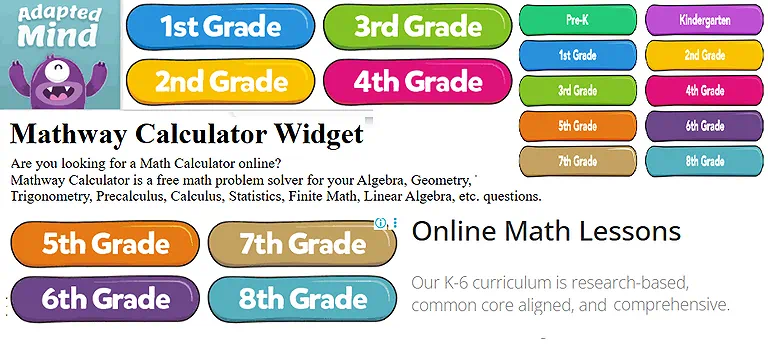
Mathway Official source image
5 SageMath
SageMath is an advanced open-source mathematics software system designed for research and education. It integrates multiple mathematical libraries and supports algebra, combinatorics, numerical mathematics, cryptography, and number theory, offering a powerful and customizable environment for complex mathematical computation and academic exploration.
Highlighted Features
- Open-source platform with extensive mathematical libraries
- Supports algebra, calculus, number theory, and cryptography
- Highly customizable computational environment for research use
- Supports translation across multiple officially available languages
How does SageMath solve the Question?
- SageMath performs symbolic and numerical mathematical computations
- Integrates multiple libraries to solve complex equations efficiently
- Enables researchers to model advanced mathematical structures
- Provides a programmable environment for custom mathematical operations
Strengths
- Extremely powerful for advanced academic and research mathematics
- Fully open-source and free to use
- Highly flexible and customizable for expert users
- Supports a wide range of mathematical disciplines
Weaknesses
- Requires programming knowledge to use effectively
- Not beginner-friendly compared to simpler math solvers
- Complex setup and learning curve for new users
- Lacks intuitive step-by-step teaching explanations
Suitable For
Researchers, mathematicians, and advanced students require deep computational and symbolic mathematical analysis tools.
Key Constraints
- Requires coding and technical expertise
- Installation and setup can be complex
- Not ideal for quick homework problem solving
Cost & Plans
SageMath is completely free and open-source, with no paid plans, offering full access to all features and libraries.
Creative Substitute
Wolfram Mathematica, SymPy, Maxima, MATLAB Symbolic Toolbox
6 Maple
Maple, developed by Maplesoft, is a powerful symbolic mathematics environment. It is widely used by mathematicians and engineers for solving equations, modeling systems, and performing symbolic calculations. Maple is particularly strong in calculus, algebra, and differential equations. As a powerful open-source system, it's a foundational resource for engineers looking to advance their careers in AI through advanced computation.
Highlighted Features
- Advanced symbolic computation for complex equations
- Strong support for calculus, algebra, and differential equations
- System modeling and mathematical simulation tools
- Supports translation across multiple officially available languages
How does Maple solve the Question?
- Maple performs symbolic and numerical computations efficiently
- Solves complex mathematical equations step by step
- Models engineering and scientific systems accurately
- Provides tools for analyzing algebraic and calculus-based problems
Strengths
- Extremely powerful for advanced mathematical and engineering tasks
- High accuracy in symbolic and numerical computation
- Widely used in academic and professional research
- Strong visualization and problem-solving capabilities
Weaknesses
- Expensive compared to many alternatives
- Requires learning time for full functionality
- Not beginner-friendly for basic mathematics users
- Heavy software that may need strong system resources
Suitable For
Engineers, researchers, and advanced mathematics students are working on symbolic computation and system modelling.
Key Constraints
- Paid software with limited free access
- Requires a high-performance system for smooth use
- Steep learning curve for beginners
Cost & Plans
Maple offers paid licensing plans with academic discounts and trial versions, but full access requires a subscription purchase.
Creative Substitute
Wolfram Mathematica, MATLAB Symbolic Toolbox, SageMath, SymPy
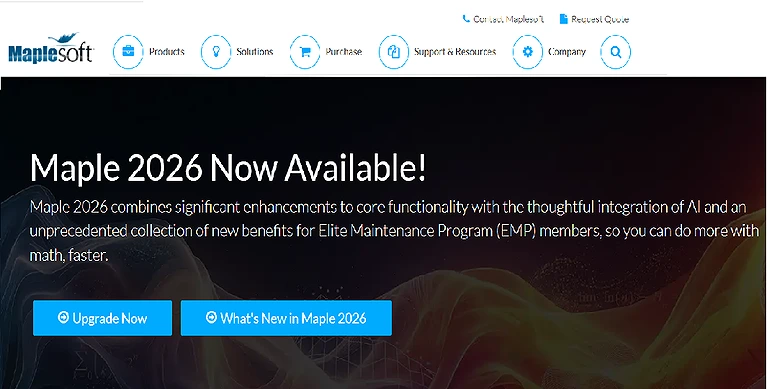
Maple home page
7 MATLAB
MATLAB, created by MathWorks, is a leading platform for numerical mathematics and algorithm development. It is widely used in applied mathematics, engineering, and scientific research. MATLAB excels in matrix calculations, simulations, optimization, and data analysis.
Highlighted Features
- Advanced matrix and numerical computation capabilities
- Powerful tools for simulation and data analysis
- Extensive toolboxes for engineering and scientific applications
- Supports translation across multiple officially available languages
How does MATLAB solve the Question?
- MATLAB performs high-speed numerical and matrix computations
- Simulates engineering and scientific systems accurately
- Solves optimization and algorithm-based mathematical problems
- Provides visualization tools for interpreting data and results
Strengths
- Extremely powerful for numerical and engineering computations
- Widely used in academia and industry
- Strong support for simulations and real-world modeling
- Large collection of specialized toolboxes
Weaknesses
- Expensive licensing cost for full access
- Requires technical knowledge and programming skills
- Not ideal for simple or basic math problems
- Can be resource-heavy on low-end systems
Suitable For
Engineers, researchers, data scientists, and students are working on numerical analysis and computational modelling.
Key Constraints
- Paid software with costly licensing plans
- Requires programming knowledge for advanced use
- Needs strong system resources for large computations
Cost & Plans
MATLAB is a paid platform with academic discounts and trial access, while full versions require subscription-based licensing.
Octave, SciPy, R Programming, Scilab
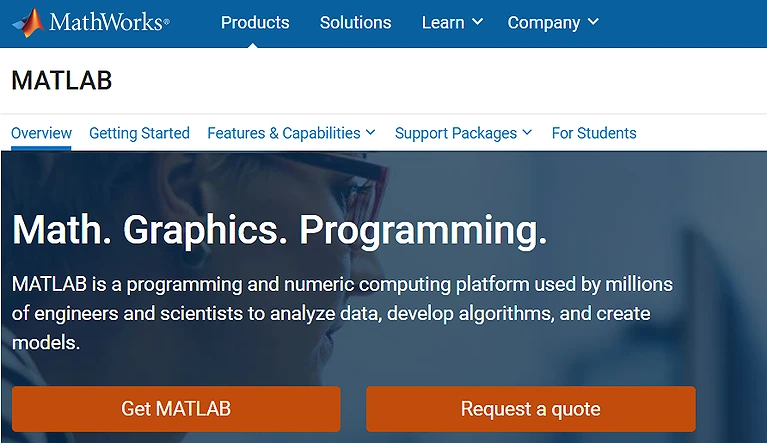
MATLAB Home page
8 Desmos
Desmos is a modern online graphing calculator used by students and mathematicians. It allows users to visualize functions, equations, and transformations through interactive graphs and sliders. Desmos is widely popular in education because it simplifies complex mathematical relationships into dynamic, easy-to-understand visual representations.
Highlighted Features
- Interactive graphing with real-time function visualization
- Sliders for exploring mathematical transformations dynamically
- User-friendly interface for students and educators
- Supports translation across multiple officially available languages
How does Desmos solve the Question?
- Desmos plots mathematical functions instantly on interactive graphs
- Allows users to adjust variables using sliders for real-time changes
- Visualizes equations to make relationships easier to understand
- Helps students explore algebraic and calculus concepts visually
Strengths
- Extremely easy to use for beginners and students
- Powerful real-time graphing and visualization tools
- Free and accessible from any browser or device
- Excellent for learning mathematical concepts visually
Weaknesses
- Limited advanced symbolic solving features
- Requires internet access for full functionality
- Not suitable for highly complex mathematical research
- Lacks step-by-step equation-solving explanations
Suitable For
Students, teachers, and beginners need interactive graphing and visual understanding of mathematical functions.
Key Constraints
- Internet connection required for online use
- Limited algebraic solving compared to advanced math solvers
- Focused mainly on visualization rather than computation
Cost & Plans
Desmos is completely free to use with full access to graphing and interactive learning tools.
Creative Substitute
GeoGebra, Wolfram Alpha, Graphing Calculator Plus, Meta Calculator
9 Photomath
Photomath is an AI-powered mobile application that helps users solve math problems by scanning printed or handwritten equations using a smartphone camera. It provides step-by-step explanations for arithmetic, algebra, and calculus, making it an effective and convenient study companion for students.
Highlighted Features
- Camera-based scanning of handwritten and printed equations
- Step-by-step solution explanations for better learning
- Supports arithmetic, algebra, and basic calculus problems
- Supports translation across multiple officially available languages
How does Photomath solve the Question?
- Photomath scans mathematical problems using the device's camera
- Instantly recognizes and interprets handwritten or printed equations
- Generates step-by-step solutions with clear explanations
- Helps users understand problem-solving methods visually
Strengths
- Extremely fast and easy to use via smartphone camera
- Great for homework help and self-study support
- Provides clear step-by-step learning explanations
- Works offline for many basic problems
Weaknesses
- Advanced explanations require the premium version
- Limited depth for higher-level mathematics
- Accuracy may vary with unclear handwriting
- Focused mainly on mobile usage, not desktop learning
Suitable For
Students need quick homework help and visual step-by-step math learning via mobile devices.
Key Constraints
- Full solutions require internet or premium access
- Best performance depends on clear handwriting or print
- Limited advanced math support in free version
Cost & Plans
Photomath offers a free version with basic solutions, while the premium unlocks detailed step-by-step explanations and advanced features.
Creative Substitute
Microsoft Math Solver, Mathway, Cymath, GeoGebra

Photomath Official source image
10 Mathpix
Mathpix is a powerful AI tool that converts handwritten or printed mathematical equations into editable digital LaTeX format. It is widely used by researchers and mathematicians for writing papers, as it can accurately recognise complex formulas and quickly transform them into structured, editable text for academic use.
Highlighted Features
- Converts handwritten equations into LaTeX format instantly
- High-accuracy recognition of complex mathematical formulas
- Supports image-to-text conversion for academic documents
- Supports translation across multiple officially available languages
How does Mathpix solve the Question?
- Mathpix scans handwritten or printed mathematical content using AI
- Converts equations directly into clean, editable LaTeX code
- Simplifies documentation for research papers and academic writing
- Helps digitize complex formulas for further editing and use
Strengths
- Extremely accurate for mathematical formula recognition
- Saves significant time in academic writing and research work
- Ideal for converting scanned notes into digital format
- Supports complex equations across advanced mathematics
Weaknesses
- Limited usefulness outside academic or research environments
- Requires subscription for full advanced features
- Not designed for step-by-step problem solving
- Dependent on image quality for best accuracy
Suitable For
Researchers, mathematicians, and students are converting handwritten equations into LaTeX for academic writing.
Key Constraints
- Premium plan needed for advanced features
- Accuracy depends on the clarity of input images
- Requires an internet connection for processing
Cost & Plans
Mathpix offers a free plan with limited conversions, while paid subscriptions unlock higher usage limits and advanced OCR features.
Creative Substitute
Snip, InftyReader, MathType, Microsoft OneNote OCR
FAQ
What are AI tools for mathematicians used for?
AI tools help mathematicians solve complex equations, visualize graphs, and understand step-by-step solutions. They improve accuracy, speed, and conceptual understanding in mathematical problem-solving.
Which AI tool is best for step-by-step math solutions?
Tools like Symbolab and Mathway are widely used for step-by-step explanations.
They break problems into clear stages, making them ideal for students learning
mathematics.
Are AI math tools free to use?
Many AI tools like GeoGebra, Desmos, and Microsoft Math Solver are completely free. However, advanced features in tools like Wolfram Alpha and Symbolab require paid subscriptions.
Can AI tools replace human mathematicians?
No, AI tools assist with calculations and explanations, but cannot replace human creativity and reasoning. Mathematicians are still needed for complex proofs, research, and theoretical development.
Which AI tool is best for graphing and visualization?
GeoGebra and Desmos are the most popular tools for graphing and interactive visualization. They allow users to explore functions dynamically and understand mathematical behavior visually.
Conclusion
Artificial intelligence is reshaping the way mathematicians and students approach problem-solving. Tools like Wolfram Alpha, ChatGPT, Symbolab, GeoGebra, and MATLAB have made it possible to solve complex equations, visualise mathematical concepts, and understand step-by-step solutions with greater ease and accuracy. These platforms not only save time but also enhance conceptual clarity by breaking down difficult problems into understandable parts. This shift in academic problem-solving is mirroring the corporate world, specifically in how AI tools can maximize productivity for modern accounting by automating complex financial calculations and data entry.