.webp)
Top Free AI Writing Platforms Every Creator Needs in 2026
AI writing tools like ChatGPT have transformed content creation, making it faster and more efficient. From Microsoft Word and Google Docs to dedicated AI apps, these tools help generate polished, human-like content without starting from scratch. They reduce errors, improve creativity, and turn basic ideas into compelling copy. With built-in AI features across platforms, writing becomes smoother, more productive, and ideal for blogs, emails, and professional content creation.

 Updated: April 28, 2026 | 18 min read
 | Best For | Pricing | Ease | |
| Jasper | AI content & marketing copy | Paid | Beginner |
| Anyword | Performance-driven copywriting | Free + Paid | Beginner |
| Writer | Enterprise content writing & brand consistency | Paid | Intermediate |
| Writesonic | Blog & marketing content generation | Free + Paid | Beginner |
| Rytr | Quick AI writing assistance | Free + Paid | Beginner |
| Sudowrite | Creative writing & storytelling | Paid | Beginner |
| Grammarly | Grammar correction & writing enhancement | Free + Paid | Beginner |
| Copy.ai | Marketing copy & content generation | Free + Paid | Beginner |
| Kontent.ai | Content operations & planning | Paid | Intermediate |
| Simplified AI | All-in-one content creation | Free + Paid | Beginner |
| QuillBot | Paraphrasing & rewriting | Free + Paid | Beginner |

Cover image showcasing the content writing tools discussed below.
1 .Jasper (Web)
Jasper is a powerful AI writing tool for business and marketing, combining multiple models to deliver accurate, on-brand content. It offers strong controls, brand voice customization, and reliable performance. With features like a chatbot, AI art generator, and integrations, it streamlines content creation.While Jasper is also famous for creativity, its true power lies in helping teams manage their business smarter by maintaining a consistent brand voice across hundreds of documents.
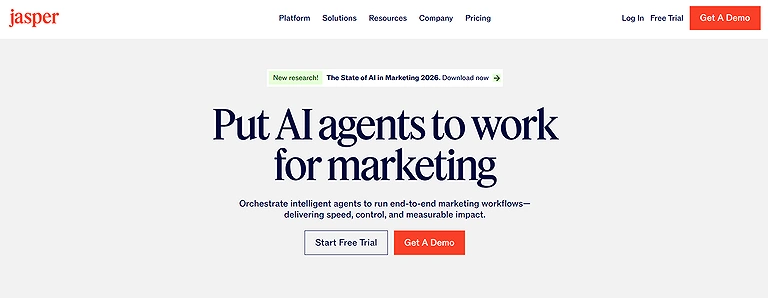
Jasper (Web) Official Source Image
Key Features
- Brand Voice and Style Guide customization for consistent content output
- Jasper IQ quality control system for improving accuracy and relevance
- Built-in chatbot and browser extension for fast content generation
- Zapier integrations to automate workflows across multiple apps
How to Use Jasper ?
- Choose a suitable subscription plan and set up your workspace
- Define Brand Voice, Audience, and Style Guide for consistent tone
- Generate content using templates, chatbot, or browser extension
- Run Jasper IQ checks, edit output, and automate workflows via integrations
Pros
- Highly reliable platform with strong uptime and enterprise stability
- Produces on-brand content with structured voice and style controls
- Advanced AI quality tools improve output accuracy for complex topics
- Supports automation through integrations with thousands of apps
- Offers fast content creation for blogs, ads, and social media posts
Cons
- Relatively expensive compared to other AI writing tools
- Requires fine tuning to avoid generic or repetitive AI-generated text
- Slight learning curve due to multiple features and workflows
- Needs human editing to maintain originality and tone accuracy
Pricing
Jasper starts at around $69/month for the Creator plan (official pricing), with higher tiers for teams and businesses offering advanced collaboration, brand control, and AI workflow automation.
Use Cases
Used for blog writing, marketing copy, SEO content creation, social media posts, ad copy generation, and automated content workflows for businesses and creators.
Alternate Tools
Copy.ai, Writesonic, Rytr, Notion AI
2. Anyword (Web)
Anyword is an AI writing tool designed for high-performing ads and social content. It uses data insights to predict engagement, conversions, and click-through rates. With integrations like Google Ads, Meta, and HubSpot, it helps optimize content for specific audiences. Starting at $49/month, it’s a solid choice for marketers seeking data-driven, consistent, and effective content creation.
Key Features
- AI-powered engagement score predicts clicks and conversions
- Supports short-form ads and long-form blog/web content generation
- Brand voice customization for consistent messaging across channels
- Direct integrations with Google Ads, Meta Ads, HubSpot, and Salesforce
How to Use Anyword ?
- Sign up and connect your ad or marketing platforms
- Set your brand voice, audience, and content goals
- Generate content using short-form or long-form editor
- Review engagement score, refine text, and publish directly
Pros
- Predicts performance using engagement and conversion scoring system
- Strong integrations with major advertising and CRM platforms
- Works for both ads and long-form content creation needs
- Maintains consistent brand voice across all generated content
- Helps improve marketing decisions using historical performance data
Cons
- Starter plan is limited to single user and single brand voice
- Advanced AI tools are locked behind higher-tier pricing plans
- Can produce repetitive content without manual refinement
- Not ideal for fully flexible or creative storytelling needs
- Effectiveness depends on quality and depth of historical data
Pricing
Anyword starts with a Starter plan (around $39/month billed annually, official pricing may vary), while higher tiers for teams and businesses unlock multiple brand voices, advanced analytics, and full marketing integrations.
Use Cases
Used for ad copy optimization, social media campaigns, blog writing, landing page content, and performance-driven marketing content creation.
Alternate Tools
Jasper, Copy.ai, Writesonic, Grammarly Business
3. Writer (Web)
Writer is an AI writing tool focused on safety, compliance, and reliability for regulated industries. It uses advanced models to produce legally sound, brand-consistent content while flagging unsupported claims. With customizable rules, integrations, and automation features, it helps teams create secure, high-quality content, making it ideal for finance, healthcare, and enterprise-level communication needs.
Key Features
- Built-in compliance engine for legal and corporate content safety
- Company-specific style guide and editor rule enforcement system
- AI agents for automating and deploying content workflows
- Integrations with Zapier and enterprise applications for scaling content operations
How to Use Writer ?
- Set up company style guide, tone, and compliance rules
- Choose AI agent or writing mode based on content type
- Generate drafts for blogs, emails, or social media posts
- Run content through compliance editor before publishing or automation
Pros
- Strong focus on legal and corporate compliance reduces risk exposure
- Ensures consistent brand tone through enforced writing rules
- Supports automation using AI agents for scalable content workflows
- Works well for regulated industries like finance and healthcare
- Integrates with multiple tools for enterprise-level content pipelines
Cons
- Limited creative freedom for experimental or highly creative content
- Requires detailed setup of policies and brand rules before use
- Higher pricing makes it less suitable for small teams or freelancers
- Can feel restrictive compared to general AI writing tools
- Depends on external LLM updates for ongoing accuracy and performance
Pricing
Writer offers enterprise-focused pricing with custom plans (no fixed public pricing), typically starting from higher-tier business subscriptions designed for teams, compliance-heavy organizations, and enterprise workflows.
Use Cases
Used for compliance-safe content creation, enterprise blog writing, marketing copy, regulated industry documentation, and automated corporate content workflows.
Related Tools
Jasper, Anyword, Copy.ai, Grammarly Business
4. Writesonic (Web)
Writesonic is an AI writing tool built for content marketing and SEO. It helps create high-quality, search-optimized content using features like keyword analysis, competitor research, and SEO audits within an easy editor. With customizable workflows, AI chat, and integrations, it supports efficient content creation, making it a strong choice for improving online visibility and brand presence. Writesonic excels at long-form SEO, especially when paired with AI tools for keyword research to ensure your blog posts rank on page one.

Verified Source -- Writesonic
Key Features
- AI-powered SEO content creation with keyword and competitor analysis
- 10-step AI Article Writer for structured long-form content generation
- Built-in SEO and generative engine optimization (GEO) tools
- Integration with Zapier for workflow automation and scaling content production
How to Use Writesonic ?
- Set up your brand preferences and writing tone
- Choose prompts, templates, or AI Article Writer for content generation
- Perform keyword research and competitor analysis within the platform
- Edit content in the built-in editor and automate workflows if needed
Pros
- Strong SEO-focused features for search engine-friendly content creation
- Structured article generation simplifies long-form writing process
- Combines keyword research, competitor analysis, and writing in one tool
- Helps align content with brand messaging and marketing goals
- Supports automation through Zapier and external integrations
Cons
- Higher pricing required for advanced SEO and competitor insights
- Learning curve for fully utilizing all SEO and AI features
- Lower-tier plans limit access to advanced content strategy tools
- Heavy SEO focus may reduce creative writing flexibility
- Requires ongoing optimization to maintain strong search performance
Pricing
Writesonic offers a free plan with limited credits, while paid plans start from around $20–$25/month (official pricing varies by plan and usage limits), with higher tiers unlocking advanced SEO tools, bulk generation, and team features.
Use Cases
Used for SEO blog writing, keyword-optimized articles, competitor analysis, marketing copy, and scalable content production for websites and agencies.
Alternates
Jasper, Copy.ai, Anyword, Surfer SEO
5. Rytr (Web)
Rytr is a beginner-friendly AI writing tool offering a generous free plan with up to 10,000 characters monthly, making it ideal for individuals and budget-conscious users. Unlike expensive tools like Jasper, Writesonic, and Anyword, Rytr uses simpler models but still supports tone customization and brand consistency. Its paid plans unlock more features at low cost. While it may produce less advanced outputs, Rytr remains a practical and affordable option for testing AI writing before upgrading to premium tools.
Key Features
- Free plan offering up to 10,000 characters per month
- Multiple writing tones with custom tone configuration support
- Simple AI writing interface suitable for beginners and professionals
- Affordable AI writing tool compared to premium competitors
How to Use Rytr ?
- Sign up and start with the free plan for basic content generation
- Select tone, use case, and input your writing prompt
- Generate content and refine it based on your brand voice
- Upgrade to premium plans for higher usage and custom features
Pros
- Generous free plan allows easy testing for new users
- Very easy-to-use interface suitable for beginners
- Affordable pricing compared to Jasper and Writesonic
- Supports multiple tones for flexible content creation
- Allows basic brand voice customization for consistency
Cons
- Uses older or less advanced AI models compared to premium tools
- Limited advanced features for professional content strategy
- Free plan character limit is restrictive for heavy users
- Outputs often need manual editing for polished results
- Lacks depth and nuance of newer state-of-the-art AI models
Pricing
Rytr offers a free plan with limited usage (10,000 characters/month), while paid plans start from around $9/month for Unlimited plan and higher tiers for Premium features (official pricing may vary slightly by region and billing cycle).
Use Cases
Used for blog writing, social media content, email drafts, product descriptions, and quick AI-generated marketing copy for individuals and smarter businesses.
Related Tools
Jasper, Copy.ai, Writesonic, Anyword
6. Sudowrite (Web)
Sudowrite is an AI writing tool built specifically for fiction writers, acting as a creative partner to overcome writer’s block and develop ideas and even also powerful in video creation. It helps generate outlines, build characters, and structure stories using features like Story Bible. Its Describe and Brainstorm tools add rich sensory details and dialogue ideas to improve storytelling depth. Although outputs can sometimes be inconsistent, it offers customization, plugins, and planning tools. With its Hobby & Student plan, it supports writers in creating short or long fiction effectively.
Key Features
- Story Bible for generating plots, characters, and structured outlines
- “Describe” and “Brainstorm” tools for richer sensory storytelling
- Visual canvas for mapping plots, scenes, and narrative flow
- Custom LLM support with plugin ecosystem for advanced fiction writing
How to Use Sudowrite ?
- Choose a plan (Hobby & Student is commonly used for beginners)
- Create your story idea using Story Bible and character setup tools
- Use Brainstorm and Describe to expand scenes and add depth
- Organize structure on visual canvas and refine narrative style
Pros
- Excellent for fiction writing with strong creative storytelling support
- Helps overcome writer’s block with guided prompts and idea generation
- Visual canvas makes story structure easier to organize
- Fun, intuitive interface designed specifically for creative writers
- Supports character building and immersive narrative development
Cons
- Can produce occasional incoherent or cliché storytelling outputs
- Not suitable for non-fiction, SEO, or marketing content use cases
- Entry plan has credit limitations for heavy writing users
- Learning curve for advanced features like plugins and canvas tools
- Some writers find AI-generated fiction less authentic or controversial
Pricing
Sudowrite starts with a Hobby & Student plan at around $19/month (official pricing) offering 225,000 AI credits per month, with higher tiers available for professional and heavy fiction writers.
Use Cases
Used for novel writing, short story creation, character development, screenplay drafting, and creative fiction brainstorming.
Related Tools
Jasper, Rytr, NovelAI, ChatGPT
7. Grammarly
Grammarly is an AI writing assistant used to improve content quality across emails, articles, and social posts and also becoming a mandatory part of the AI tools for university students toolkit for ensuring original, high-quality research.. It detects grammar, spelling, and contextual errors while suggesting real-time improvements for clarity, tone, and engagement. It also enhances sentence structure, word choice, and readability to match intended audience and brand voice. Available on browsers, Google Docs, and Office apps, it offers a free version for basic fixes and a premium plan with advanced AI-powered suggestions for more polished and effective writing.
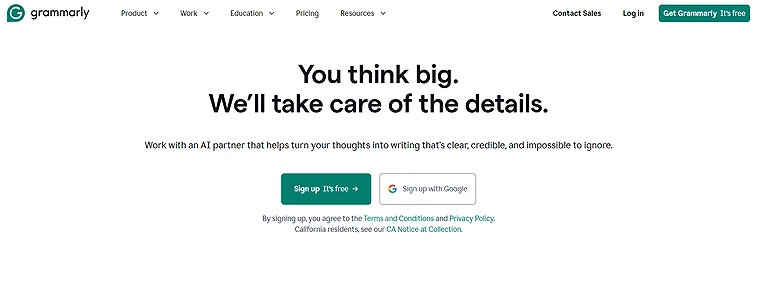
Grammarly is an AI writing assistant
Key Features
- Real-time grammar, spelling, and punctuation correction
- Style and clarity suggestions for improved readability
- Works across Google Docs, MS Word, browsers, and desktop apps
- Vocabulary enhancement and tone adjustment (Premium)
How to Use Grammerly ?
- Install the browser extension or desktop application
- Connect it with writing tools like Google Docs or Microsoft Word
- Write or paste your content and review highlighted issues
- Apply suggested corrections for grammar, clarity, and tone
Pros
- Instantly detects grammar, spelling, and writing mistakes
- Improves writing clarity and engagement with smart suggestions
- Works seamlessly across multiple platforms and tools
- Premium version offers advanced writing insights and vocabulary upgrades
Cons
- Free version has limited advanced writing suggestions
- Sometimes suggests changes that may alter intended tone
- Relies heavily on AI and may miss human nuance in writing
- Premium subscription can be costly for casual users
Pricing
Grammarly offers a free plan with basic writing corrections, while Premium starts at around $12/month (billed annually, official pricing) and Business plans are available for teams with advanced collaboration and style features.
Use Cases
Used for academic writing, blogging, professional emails, content creation, and improving grammar, clarity, and tone in everyday communication.
Alternate Tools
ProWritingAid, Hemingway Editor, Jasper, Writesonic
8. Copy.ai
Copy.ai is an AI content tool that helps marketing teams quickly generate ideas and overcome writer’s block. It is useful for creating emails, webinar follow-ups, blog outlines, social posts, and product descriptions, as well as repurposing existing content. With 90+ templates, it supports different tones, styles, and brand voices. Although it lacks a browser extension and has limited free usage, it remains a practical tool for fast content creation and editing across email marketing channels.
Key Features
- 90+ content templates for blogs, ads, emails, and product copy
- AI-powered tone and brand voice customization
- Fast idea generation for overcoming writer’s block
- Workspace-based content creation for structured workflows
How to Use Copy.ai ?
- Select a template based on your content type
- Enter prompt details, keywords, or brief instructions
- Generate drafts and refine tone, style, and length
- Copy content to your platform or publish after editing
Pros
- Very fast content generation, ideal for reducing writer’s block
- Wide range of templates for different marketing needs
- Allows tone and brand voice customization for consistency
- Helpful for brainstorming titles, ideas, and campaign content
- Easy workflow for beginners and marketing teams
Cons
- Free plan is limited to 2,000 words per month and single user
- Premium pricing may be expensive for small businesses
- No browser extension, which slows down workflow integration
- Generated content often needs manual editing for polish
- Requires copying content manually to external platforms
Pricing
Copy.ai offers a free plan with limited usage (2,000 words/month), while paid plans start around $36/month (official pricing for Pro plan, billed annually) with higher tiers for teams and advanced workflow automation.
Use Cases
Used for blog writing, ad copy, email campaigns, social media content, product descriptions, and fast marketing idea generation.
Related Tools
Jasper, Writesonic, Rytr, Anyword
9. Kontent.ai
Kontent.ai is a content platform that uses AI to speed up content creation from first draft to polished copy for blogs, social posts, ads, and website content. Its Kopilot assistant helps refine text by adjusting tone, shortening, summarizing, and generating titles or key points. It also supports SEO features like alt text and image descriptions for accessibility. Built on responsible AI principles, it balances creativity and ethics, helping teams improve productivity with streamlined content workflows.
Key Features
- AI-powered Kopilot assistant for writing, editing, and tone adjustment
- Content automation for blogs, ads, websites, and social media posts
- SEO-friendly tools including titles, summaries, and image alt text generation
- Built-in Responsible AI framework for security and ethical content creation
How to Use Kontent.ai ?
- Open a new project or start with existing content in the editor
- Use Kopilot to rewrite, shorten, or improve tone of selected text
- Generate titles, summaries, or SEO elements like meta descriptions
- Review content quality and apply automation for final publishing
Pros
- Helps quickly generate and refine content from a blank page
- Kopilot makes editing and tone adjustment simple and efficient
- Supports multiple content formats including SEO and marketing copy
- Strong focus on ethical AI usage and content governance
- Improves productivity through automation and structured workflows
Cons
- Requires time to learn full AI and automation capabilities
- Some advanced features need practice for optimal use
- Third-party integrations may complicate workflow for beginners
- Ethical and governance setup requires consistent attention
- Occasional technical issues with complex or large-scale content tasks
Pricing
Kontent.ai offers custom pricing based on business size and requirements, typically aimed at enterprise and mid-size teams, with no fixed public pricing available on the official site.
Use Cases
Used for enterprise content management, SEO writing, marketing copy creation, website content optimization, and AI-assisted editorial workflows.
Alternate Tools
Jasper, Copy.ai, Writesonic, Grammarly Business
10. Simplified AI
Simplified AI is an easy-to-use platform that offers AI tools for writing and design, making it ideal for content creators working across multiple formats. Its free tier is especially useful for social media captions, blog intros, and slogans, while built-in SEO features help optimize content for search visibility. It also combines writing and design tools in one interface, allowing users to create visuals and text together without switching apps, making content creation faster, more consistent, and efficient.Simplified is the go-to for creators who want to merge writing with social media management AI, allowing you to design and post content from a single dashboard
Key Features
- AI content generation for blogs, ads, captions, and social posts
- Built-in SEO optimization tools for better search visibility
- Integrated design + writing workspace in a single platform
- Template-based content creation for fast output
How to Use Simplified ?
- Select a content type such as blog, ad, or social post
- Generate AI text using prompts or templates
- Refine tone, structure, and SEO keywords as needed
- Add visuals using built-in design tools and publish
Pros
- Very beginner-friendly with a clean, simple interface
- Supports multiple content formats for marketing needs
- Built-in SEO tools help improve online reach
- Combines writing and design in one workflow
- Free plan available for basic content creation
Cons
- Free tier has limited monthly content generation
- Advanced design tools require paid upgrade
- Not ideal for deep long-form or technical writing
- Limited tone and style control compared to advanced AI writers
- SEO suggestions may be weak for highly niche topics
Pricing
Simplified AI offers a free plan with basic features, while paid plans start around $12–$30/month (billed annually depending on tier) for full AI writing, design, and collaboration features.
Use Cases
Used for social media content creation, blog writing, ad copy generation, SEO content optimization, and quick marketing visuals.
Alternate Tools
Copy.ai, Writesonic, Jasper, Rytr
11. QuillBot
QuillBot is a simple AI writing tool focused on editing, rewriting, and improving readability, making it ideal for refining drafts before publishing. It offers paraphrasing, summarizing, and grammar checking to enhance clarity, flow, and professionalism. It helps rephrase sentences, shorten paragraphs, and fix errors quickly, improving overall writing quality. Easy to use and integrate into workflows, QuillBot saves time while helping creators produce clear, well-structured, and polished content across different writing tasks.
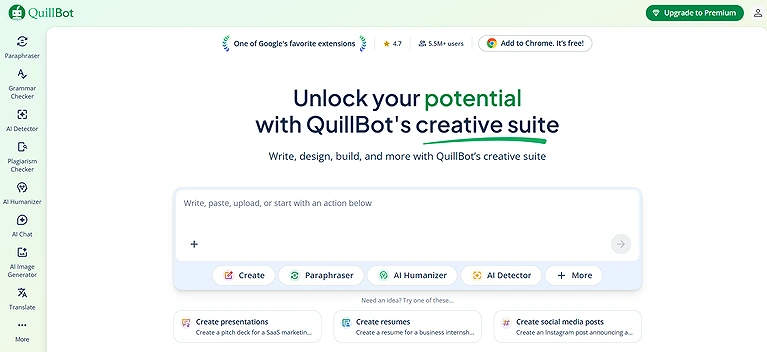
QuillBot Tools Image
Key Features
- AI-powered paraphrasing tool for rewriting and improving text clarity
- Built-in grammar checker for error detection and readability enhancement
- Summarization tool for converting long content into key points
- PDF-to-text support for converting research papers into editable drafts
How to Use QuillBot ?
- Paste or upload your text into the QuillBot editor
- Select mode: paraphrasing, summarizing, or grammar checking
- Adjust tone, fluency, or conciseness settings
- Review output and refine before using in final draft
Pros
- Strong paraphrasing engine for quick content refinement
- Grammar checker improves sentence quality and readability
- Simple and beginner-friendly interface
- Works well alongside writing tools like Google Docs and Word
- Free version provides useful basic editing features
Cons
- Free plan has strict character limits per use
- Advanced rewriting features require premium subscription
- Output may sometimes need manual correction for tone
- Not suitable for full content generation from scratch
- Cannot fully replace human editing for nuanced writing
Pricing
QuillBot offers a free plan with basic paraphrasing and grammar tools, while the Premium plan starts around $9.95/month (billed annually for lower rates) with unlimited words, advanced modes, and faster processing.
Use Cases
Used for academic writing, essay improvement, research paper editing, content rewriting, and summarizing long documents efficiently.
Related Tools
Grammarly, Wordtune, Jasper, Copy.ai
FAQS
1. What are the best free AI writing tools for 2026?
The top free AI writing tools in 2026 include Rytr, Simplified AI, QuillBot, Google Bard, and Copy.ai. These platforms help with content generation, editing, research, social media posts, blog drafts, and even SEO optimization, allowing creators to produce high-quality, polished copy quickly and efficiently.
2. Can these AI tools replace human writers entirely?
While AI tools can accelerate writing, generate ideas, and refine drafts, they are best used as assistants rather than replacements. Human judgment is still crucial for tone, brand voice, originality, and context, ensuring content is engaging, accurate, and resonates with the target audience.
3. Are free AI writing tools really effective for marketing and social media?
Yes, tools like Anyword, Simplified AI, and Copy.ai are highly effective for marketing copy, ad headlines, social posts, and email campaigns. They help optimize tone, keywords, and audience targeting, and even provide conversion probability scores for better campaign performance.
4. Do I need technical skills to use these AI writing platforms?
Not at all. Most AI writing tools, including QuillBot and Rytr, have user-friendly interfaces. You simply input your text or brief, select desired tone or style, and the AI generates or refines content. Advanced features, like SEO optimization in Simplified AI, may require a little exploration, but the learning curve is minimal.
5. How do I choose the right AI writing tool for my needs?
Choose based on your primary use case:
• For social media and ad copy, try Anyword or Copy.ai.
• For editing and paraphrasing, QuillBot is ideal.
• For research-based drafts, Google Bard is perfect.
• For combined writing and design, Simplified AI works best.
• For budget-friendly AI content generation, Rytr offers a solid free plan. Always consider features, free limits, and ease of integration with your workflow.
Conclusion
In 2026, top free AI writing tools have become essential for content creators, marketers, and businesses by offering writing, editing, research, and design support without high costs. Tools like Rytr, Google Bard, Simplified AI, Anyword, and QuillBot help generate polished blogs, ads, and social media content quickly and efficiently. They improve creativity, SEO performance, and workflow speed while maintaining consistency and quality. Although human review is still important for accuracy and tone, these AI platforms act as powerful assistants that help users produce better content faster across multiple digital channels. Choosing the right writing partner is the first step toward digital independence. Once you've mastered these platforms, discover how to turn your words into a paycheck with our guide on how to earn money on mobile using AI tools.